

Net Blocker Pro
1.6.7 by The Simple Apps (0 Reviews) May 03, 2026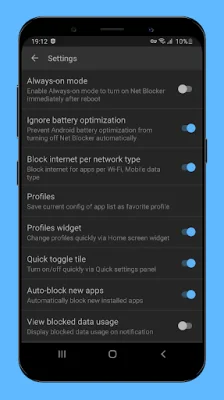
Latest Version
1.6.7
May 03, 2026
The Simple Apps
Tools
Android
0
$74.99
dev.tuantv.android.netblocker.lite
Report a Problem
More About Net Blocker Pro
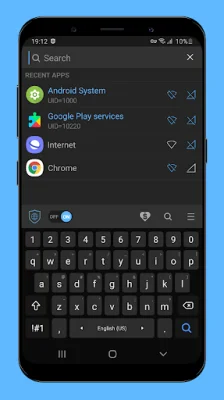
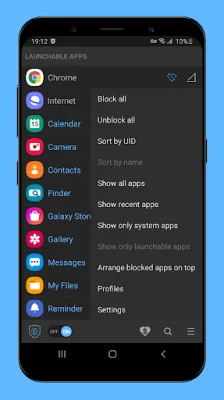
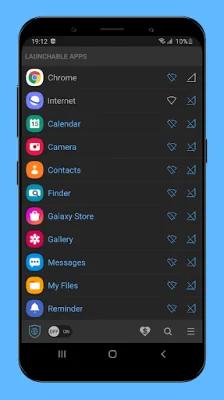
Net Blocker is an application that allows you to block specific apps from accessing the internet without requiring root access. It is similar to the free version, but with some added features. These include a smaller app size, no ads, and access to some pro features such as the ability to block internet access per network type and create profiles. Before using Net Blocker, it is important to carefully read the descriptions provided. This is because there are apps and games that may access the internet for purposes such as displaying ads or stealing personal data. Additionally, some apps may continue to access the internet in the background even after you have exited them. By blocking these apps from accessing the internet, you can reduce your data usage, increase your privacy, and save battery life. One of the key features of Net Blocker is that it is safe and easy to use, and does not require root access. This means that you can trust that it will not connect to a remote server to steal your privacy data. The app also does not request any dangerous permissions, such as access to your location, contacts, or SMS messages. It is compatible with Android 5.1 and up. It is important to note that because Net Blocker is based on the VPN framework of Android OS, you will not be able to use another VPN app at the same time. This may also drain your battery. Additionally, some instant messaging apps may use Google Play services to receive incoming messages, so you may need to block "Google Play services" in order to block these messages. If you have any questions or suggestions, you can contact the developer at [email protected]. The app also includes a FAQ section to address common concerns. For example, if you are unable to press the "OK" button on the dialog, this may be due to using an app that can overlay other apps, such as a blue light filter app. In this case, you may need to turn off the light filter app and try again. In summary, Net Blocker is a useful tool for managing your internet access and protecting your privacy. It offers a range of features and is safe and easy to use. However, it is important to carefully read the descriptions and consider any potential limitations, such as not being able to use another VPN app at the same time. If you have any questions or suggestions, the developer is available to assist you.
Rate the App















Popular Apps









