
NFC Configurator
by WEPTECH elektronik GmbH (0 Reviews) November 19, 2025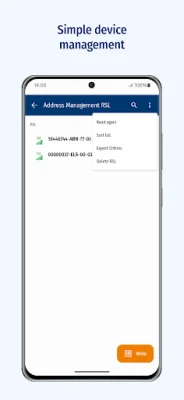
Latest Version
November 19, 2025
WEPTECH elektronik GmbH
Tools
Android
0
Free
de.weptech.nfcconfigurator
Report a Problem
More About NFC Configurator
The Wireless M-Bus/NB-IoT Gateway SWAN2 and SWAN3 are innovative devices that allow for efficient and seamless communication between various devices in the field. These gateways are equipped with advanced technology that enables them to connect to a wide range of devices, making them an essential tool for any modern business or organization.
One of the key features of these gateways is their compatibility with the Pulse adapter ORIOL and Pulse adapter CHENOA (PoC). These adapters allow for easy integration with existing devices, making it possible to expand the capabilities of the gateways and create a more comprehensive network. This not only improves efficiency but also opens up new possibilities for data collection and analysis.
Another important component of this application is the wM-Bus/OMS repeater CRANE. This device acts as a bridge between the gateways and other devices, extending the range of communication and ensuring that all devices are connected and functioning properly. This is especially useful in large or complex environments where a strong and reliable connection is crucial.
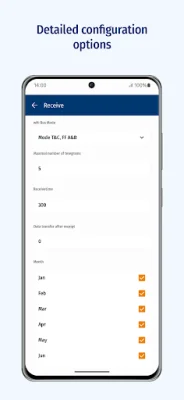
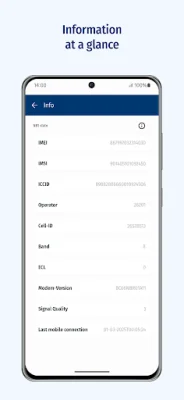
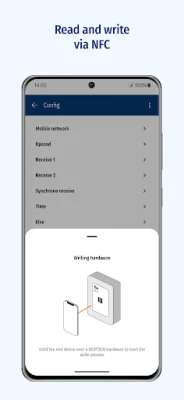
One of the standout features of this application is the ability to save and transfer device configurations in the field. This means that specific parameters can be easily set and replicated across multiple devices, saving time and effort for users. Additionally, the app allows for easy management of device information, address management, firmware updates, and factory resets, making it a comprehensive and user-friendly tool for device management.
To further enhance the user experience, the app also includes relevant product information such as quick guides, manuals, and data sheets. This ensures that users have all the necessary resources at their fingertips, making it easier to troubleshoot and resolve any issues that may arise. With its advanced features and user-friendly interface, this application is a valuable asset for any organization looking to streamline their device communication and management processes.
Rate the App















Popular Apps









