

NFC Quick Settings
1.4.3 by Colby Digital (0 Reviews) November 02, 2024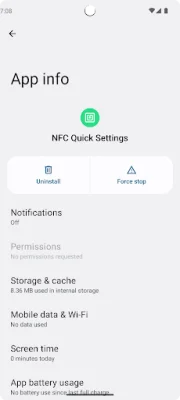
Latest Version
1.4.3
November 02, 2024
Colby Digital
Tools
Android
0
Free
au.id.colby.nfcquicksettings
Report a Problem
More About NFC Quick Settings
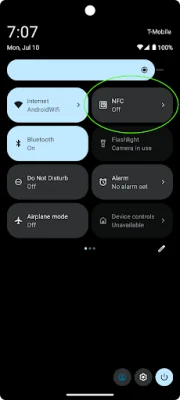
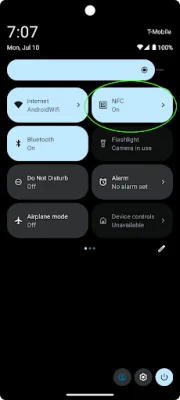
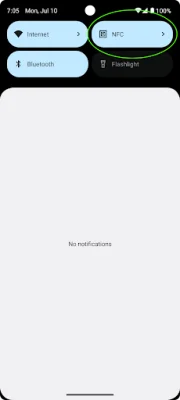
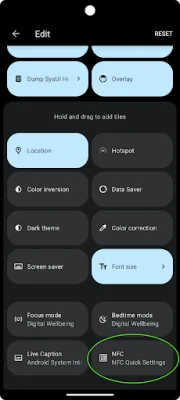
NFC Quick Settings is an application that allows users to easily access and manage their NFC settings on their Android devices. It does not have its own user interface, but instead adds a new "NFC" tile to the Quick Settings menu. This tile can be customized by the user, following the instructions provided in the Android Help section on customizing Quick Settings.
Once the NFC Quick Settings tile is added to the Quick Settings menu, it will display the current status of NFC on the device. However, due to Android security limitations, the app is not able to directly turn NFC on or off. Instead, tapping on the tile will open the device's NFC Settings page, where the user can enable or disable NFC as desired.
In addition to this basic functionality, NFC Quick Settings also offers an advanced mode that allows users to toggle NFC directly from the tile, without having to go to the NFC Settings page. However, this mode requires special permissions that can only be granted through the Android Debug Bridge on a desktop computer. More information about this mode can be found on the app's GitHub page.
NFC Quick Settings is available for free under the GPLv3 open source license. The source code can be accessed on the app's GitHub repository. The app aims to provide a convenient and user-friendly way for Android users to manage their NFC settings, while also being transparent and open source.
Rate the App














Popular Apps









