

NH스마트뱅킹
2.9.9 by 농협 (0 Reviews) July 26, 2024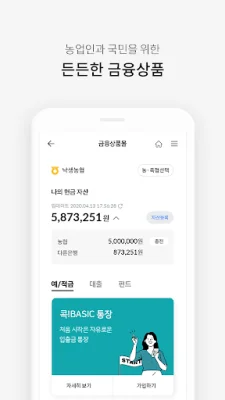
Latest Version
2.9.9
July 26, 2024
농협
Finance
Android
0
Free
nh.smart.banking
Report a Problem
More About NH스마트뱅킹
The NH Bank app, also known as NH Smart Banking, is a mobile application that allows customers to access various banking services and manage their finances conveniently. The app can be downloaded for free and is available in 9 different languages, making it accessible to a wide range of users. The customer service center can be reached at 1588-2100 during weekdays from 9 AM to 6 PM.
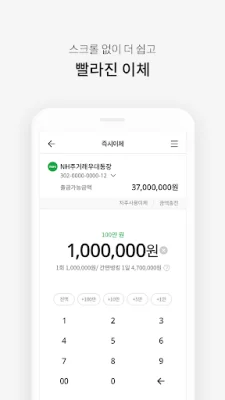
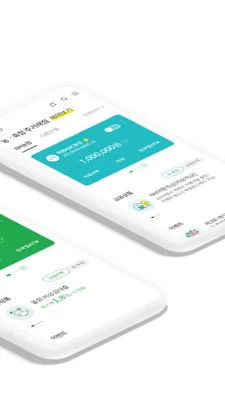
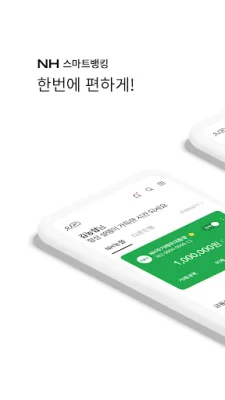
The main feature of the app is the personalized home screen, where customers can check their account balance, make transfers, and conduct other transactions. The app also provides customized information and recommends financial products based on the customer's needs.
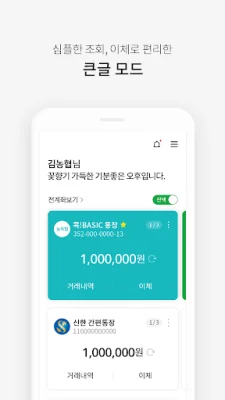
For those with visual impairments, the app offers a "big font mode" option, making it easier to view and use the app. The app also allows for easy banking with a 6-digit PIN, without the need for a security device, for transactions up to 5 million won per day. Other convenient services such as contactless transfers, split payments, widget banking, and motion banking are also available.
The app also offers open banking, allowing customers to access and transfer funds from accounts in other banks. Customers can also use the app to check their overall financial status and utilize services such as asset planning and retirement planning.
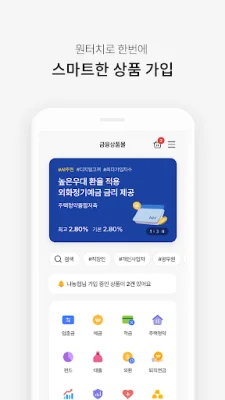
The app also has a financial product mall, where customers can open accounts and receive personalized product recommendations without having to visit a physical branch. The app also provides easy access to credit card information without the need for a separate credit card app.
For those with retirement plans, the app offers a dedicated service for managing and tracking their pension funds. The app also provides various lifestyle tips and benefits, such as financial advice and fortune-telling. Customers can also check their customer status, received benefits, and NH points through the app.
The app prioritizes security and offers various authentication methods such as fingerprint and 6-digit PIN for easy and safe login. Customers can also request a mobile OTP for secure transactions without the need for a physical security device.
The app also offers voice search and chat services, making it easier for customers to navigate and find information. The "My" section of the app allows customers to personalize their settings, check their customer status and benefits, and access services such as product consultations and coupons.
For global customers, the app offers banking services in 9 different languages. Customers can access personalized home screens, view all accounts, make transfers, and use other services such as overseas remittance and currency exchange.
To use the NH Bank app, customers must allow certain access permissions, such as storage and phone number verification. These permissions are necessary for the app to function properly, and customers can choose to allow or deny them. The app also offers optional permissions for features such as location, contacts, camera, microphone, and notifications. Customers using Android OS 6.0 or below may have limited access to these optional permissions, and it is recommended to upgrade to a higher version for full access. NH Bank is committed to continuously improving and expanding its services for the convenience of its customers.
Rate the App













Popular Apps









