

NH올원뱅크
1.5.7 by NH농협은행 (0 Reviews) July 26, 2024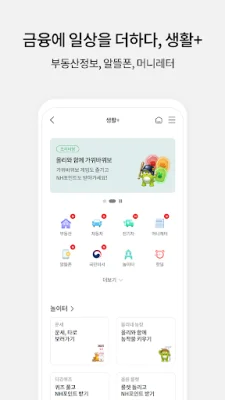
Latest Version
1.5.7
July 26, 2024
NH농협은행
Finance
Android
0
Free
com.nonghyup.nhallonebank
Report a Problem
More About NH올원뱅크
The NH All One Bank app is a convenient and secure way to manage your financial transactions. With this app, you can easily log in using various methods such as a simple password, fingerprint authentication, or pattern lock. Once you set up your preferred login method, you can also enjoy the convenience of automatic login.
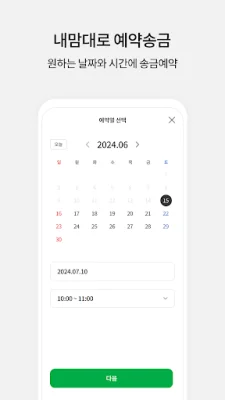
The app also offers a more convenient and user-friendly way to transfer money. You can send money without any transaction fees and even schedule future transfers. The app also allows you to easily manage all your accounts in one place, including those from other financial institutions. You can view your balances and transaction history for various accounts, such as savings, funds, and retirement accounts.
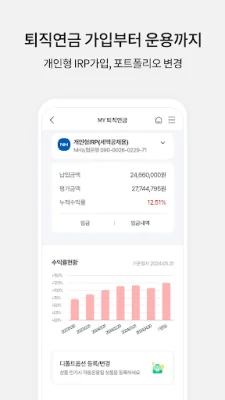
In addition to account management, the app also offers various features to make your financial life easier. You can manage all your account functions in one place, without having to visit a bank branch. You can also easily lift transaction limits and request various certificates without having to visit a branch. The app also allows you to return mistaken transfers and manage your retirement and investment accounts with ease.
The NH All One Bank app also offers a more convenient and secure way to handle foreign exchange transactions. You can enjoy up to 90% exchange rate discounts and easily register designated foreign exchange banks. You can also use the app to make reservations for foreign exchange transactions, send foreign currency gifts, and manage your foreign currency deposits.
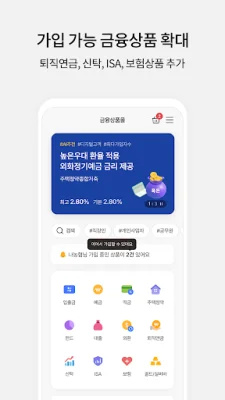
The app also offers a wide range of products and services, including AI-recommended and popular products. You can easily search for various products such as savings, loans, foreign exchange, and funds. The app also simplifies the process of signing up for complex investment products. You can even continue the application process if you exit the app. The app also allows you to extend your loan period without visiting a branch and open an account for virtual asset trading with a partner bank.
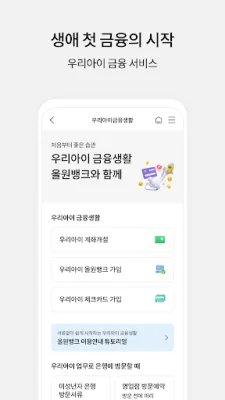
The NH All One Bank app also caters to the financial needs of your children. You can easily open an account for your minor child without having to visit a branch. The app also offers a simple and convenient way for your child to join the NH All One Bank. Your child can also enjoy various coupons and benefits through the app.
The app also offers easy payment and bill payment services. You can use your NH All One account for zero-pay services and purchase mobile gift certificates. You can also pay for various bills, such as taxes, fines, and utility bills, through the app.
The app also offers a personal service called "My All One." You can collect All One Candy (rewards) and participate in prize events. You can also receive push and SMS notifications for your transactions and check your transaction limits. You can also use the NH Wallet service and make reservations for branch visits. You can also check your coupon status and use various personal services through the app.
The app also offers enhanced security features, such as OTP authentication, to ensure safe transactions. You can also enjoy various lifestyle services, such as shopping, delivery, and discounts, through the app. You can also use the app to manage your real estate, car, phone, and other daily needs.
The app also offers a special service for visually impaired users. You can easily use the app for transactions, transaction history, account management, and mobile withdrawals.
To use the NH All One Bank app, you must be the owner of a mobile phone and account. If the phone is not in your name, you can still sign up by going through additional authentication as a customer of the electronic financial fraud prevention service. The app is available for use from 00:15 to 23:55, with some services excluded. If you have any questions about using the app, you can contact the customer service center or the app's customer support team.
The app requires certain permissions to function properly. These include access to your photos and videos for storing app content and images, access to your phone for verification and fraud prevention, and access to your installed apps for fraud prevention. The app also requests optional permissions, such as access to your contacts for sending money and registering frequently used contacts, access to your camera for taking photos of your ID and for video calls, and access to your location for finding nearby branches. You can manage these permissions in your device's privacy settings. If you already have the app installed, you must uninstall and reinstall it to change these permissions.
Rate the App















Popular Apps









