

Notifications for Fire TV
5.3.0 by Christian Fees (0 Reviews) July 30, 2024


Latest Version
5.3.0
July 30, 2024
Christian Fees
Communication
Android
0
Free
de.cyberdream.firenotifications.google
Report a Problem
More About Notifications for Fire TV
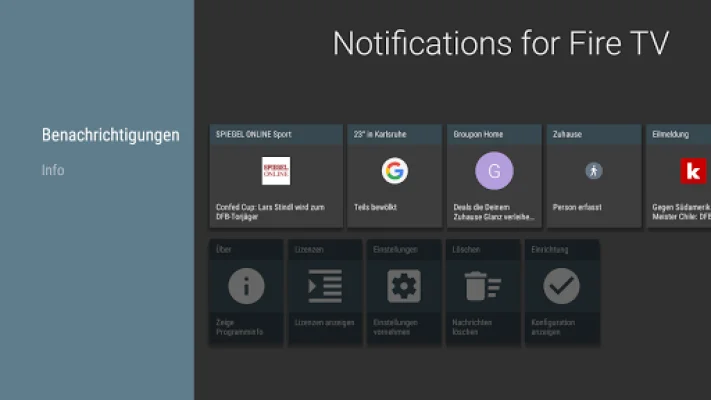
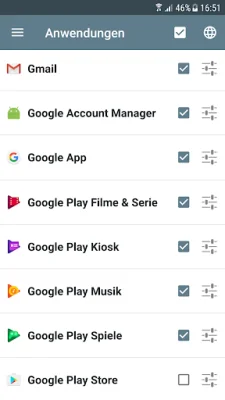
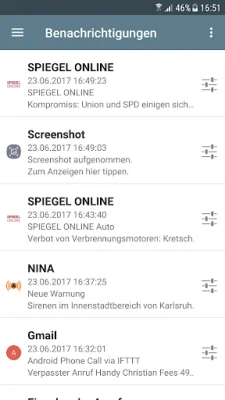
This application allows you to view all of your notifications on your Amazon Fire TV in fullscreen mode. This includes notifications from various apps such as messenger apps like WhatsApp and SMS, as well as news apps like Spiegel Online and SWR3. It also displays incoming and outgoing phone calls. You can customize the settings for each individual app, making it a versatile tool for managing your notifications.
In order to use this app, you will need to install 'Notifications for Fire TV' on your Amazon Fire TV or Fire TV stick. This can be done by going to the apps section and selecting the 'Productivity' category, or by searching for the app on the Amazon website. Once installed, you can synchronize it with your Fire TV and it will appear in your list of favorite apps.
One of the main features of this app is the immediate forwarding of your notifications to your Fire TV. This allows you to stay updated and informed without having to constantly check your phone. You can also browse through the details of each notification on your TV screen, including the application logo and any notification images.
Additionally, this app offers app-specific settings, such as a privacy mode, which allows you to control which notifications are displayed on your TV. This can be useful for maintaining your privacy and avoiding sensitive information from being displayed on a shared screen. Overall, this app is a convenient and customizable way to manage your notifications on your Amazon Fire TV.
Rate the App















Popular Apps









