

One Button Navigation Bar
by Nu-Kob (0 Reviews) April 06, 2026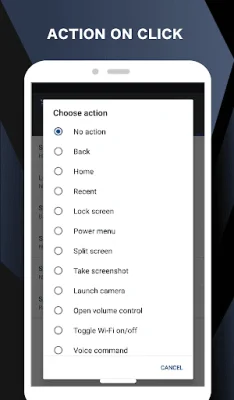
Latest Version
April 06, 2026
Nu-Kob
Tools
Android
0
Free
nu.nav.one
Report a Problem
More About One Button Navigation Bar
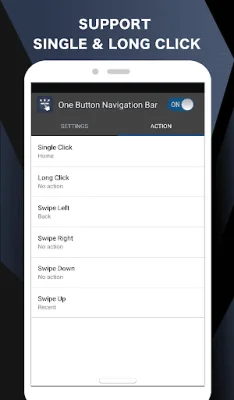
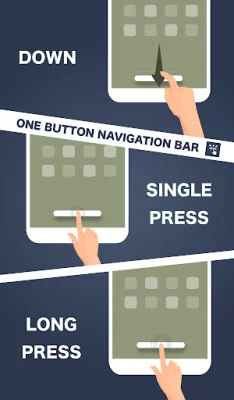
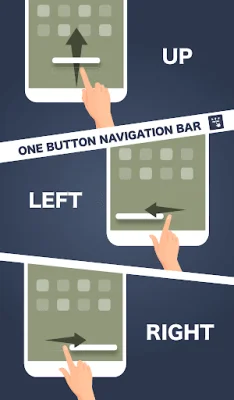
This app is designed to help users who are having trouble with buttons or navigation bar panels that are not functioning properly. It provides a single button at the bottom of the screen that can perform multiple actions, such as going back, returning to the home screen, and accessing recent apps.
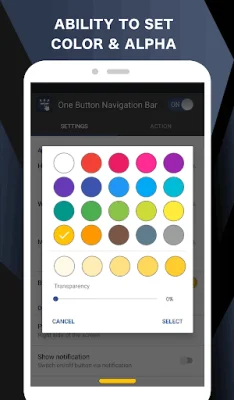
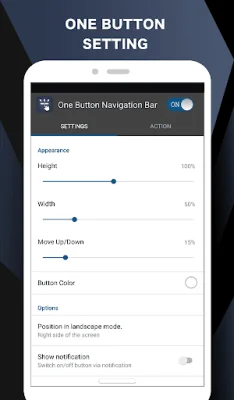
The key features of this app include the ability to customize the button's color, size, and position, as well as the option to set it to vibrate when touched. It also offers the ability to adjust the button's position in landscape mode and can be turned on or off through a notification or quick settings tile for Android 7.0 and above.
The button supports various actions, including going back, returning to the home screen, accessing recent apps, locking the screen, toggling Wi-Fi and Bluetooth, launching the camera, and more. It also has an accessibility service that allows for press and long press commands, such as taking a screenshot and toggling split screen.
In order to enable these features, the app requires accessibility service permission. However, it does not read or collect any sensitive data from the user's screen and does not share any data with third parties. If the accessibility service is disabled, the main features of the app will not work properly.
The app also requires certain permissions, such as access to phone calls, notifications, Wi-Fi and Bluetooth settings, and storage. These permissions are necessary for the app to perform actions such as making phone calls, toggling Do Not Disturb mode, and saving screenshots. The app also has a system alert window to display the navigation bar on the screen and a vibrate option for when the button is touched.
Rate the App











Popular Apps









