

One Click Lock Screen
1.7 by Rushikesh Kamewar (0 Reviews) March 29, 2026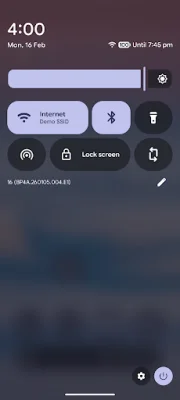
Latest Version
1.7
March 29, 2026
Rushikesh Kamewar
Tools
Android
0
Free
rk.android.app.lockscreen
Report a Problem
More About One Click Lock Screen
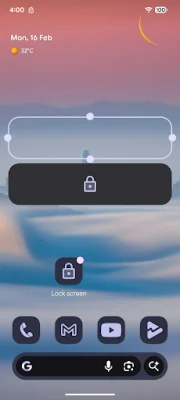
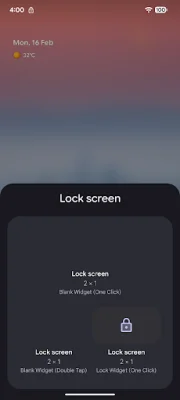
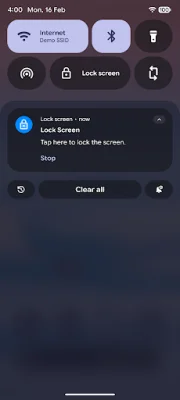
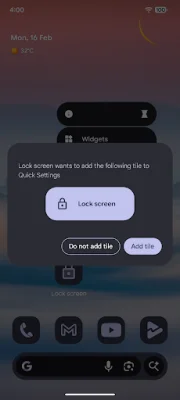
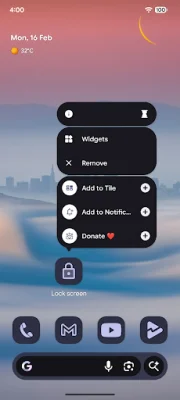
This application allows you to easily lock your screen with just a tap on the app icon. You can also lock the screen directly from the quick settings panel, making it even more convenient. Additionally, you have the option to lock the screen by long pressing the home button or using a gesture. This provides multiple ways to quickly and easily lock your screen for added security and privacy.
One of the great features of this app is that it has a simple and clean user interface, without any unnecessary clutter or distractions. This makes it easy to use and ensures that you can quickly lock your screen without any confusion. Furthermore, the app does not require any unnecessary permissions, ensuring that your privacy is protected.
In order for the app to function properly, it does require one permission - the Accessibility Permission. This permission is necessary for the app to be able to lock the screen from within the app itself, which is the main and only function of the app. You can learn more about how this permission is used to lock the screen by checking out the documentation provided by the Android developer website.
If you're curious about how the app works with this permission, you can also watch a short video demonstration on YouTube. This will give you a better understanding of how the app functions and how the permission is utilized. Overall, this app provides a simple and efficient way to lock your screen, without any unnecessary features or permissions. So if you're looking for a straightforward and secure way to lock your screen, this app is definitely worth checking out.
Rate the App













Popular Apps









