

One Emulator for Game Consoles
1.7.6 by Browser by Fulldive Co. (0 Reviews) October 27, 2025
Latest Version
Version
1.7.6
1.7.6
Update
October 27, 2025
October 27, 2025
Developer
Browser by Fulldive Co.
Browser by Fulldive Co.
Categories
Tools
Tools
Platforms
Android
Android
Downloads
0
0
License
Free
Free
Package Name
com.fulldive.extension.fullroid
com.fulldive.extension.fullroid
Report
Report a Problem
Report a Problem
More About One Emulator for Game Consoles
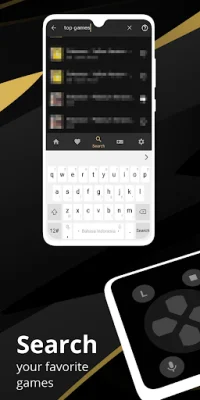
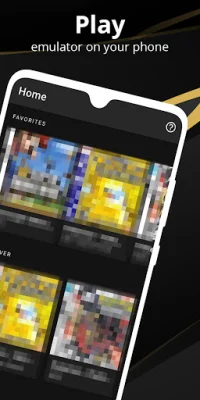
One Wize Emulator: Free Emulator for Games is an open-source emulator. It's designed to work on a wide range of devices, from phones to TVs, and to provide the best user experience on Android. It's completely free and without ads.
Our emulator offers a variety of features to enhance your gaming experience. It automatically saves and restores game states, allowing you to pick up where you left off without any hassle. You can also use quick save and load slots for even more convenience.
Not only does our emulator provide the fastest emulation, but it also helps save your device's battery life. With very high game compatibility, you can run almost all games without any issues. You can even emulate link cables, either on the same device or across devices using Bluetooth or Wi-Fi.
Our emulator also supports gyroscope, tilt, solar sensor, and rumble emulation, giving you a fully immersive gaming experience. You don't need to worry about finding and using BIOS files, as our emulator has high-level BIOS emulation built-in.
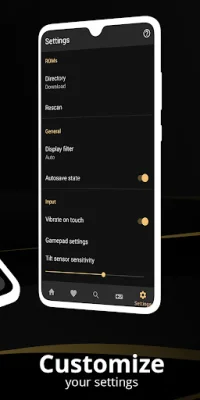
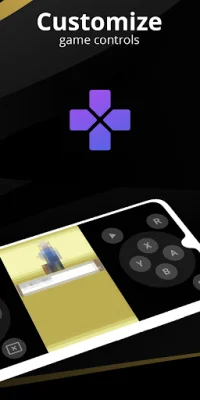
We have also optimized touch controls customization, allowing you to adjust the size and position of on-screen controls to your liking. Our emulator uses OpenGL rendering for devices with a GPU, and normal rendering for those without. You can also apply cool video filters using GLSL shaders.
For those who want to speed up or slow down gameplay, our emulator offers fast-forward and slow-down options. You can also use the on-screen keypad or external controllers, such as MOGA controllers, for a more traditional gaming experience.
Our emulator has a user-friendly interface that seamlessly integrates with the latest Android operating system. You can create and switch between different key-mapping profiles, as well as create shortcuts to easily launch your favorite games from your desktop.
With our emulator, you can also enjoy local multiplayer by connecting multiple gamepads to the same device. And for added convenience, our emulator offers cloud save sync, so you can continue your game progress on any device.
Lastly, our emulator even has a display simulation feature, allowing you to choose between LCD or CRT display for a more authentic retro gaming experience. With our advanced emulator software, you can relive the nostalgia of classic gaming on your modern device.
Rate the App








More »

Popular Apps

Telegram Telegram FZ-LLC

WeChat WeChat International

Google Meet Google LLC

Sundance Now: Series & Films Digital Store LLC

Jenius Bank SMBC MANUBANK

Airborne Attack Best Air Defense Game

Hooked on Math Hooked on Phonics

Solitaire Versus Nertz Multiplayer Solitaire

Fishing for Kids YovoGames

Burger Shop GoBit, Inc.