

OP Auto Clicker - Auto Tap
1.7 by mouse tool (0 Reviews) August 05, 2024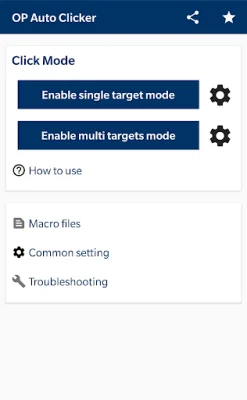
Latest Version
1.7
August 05, 2024
mouse tool
Tools
Android
0
Free
com.opautoclicker.autoclicker
Report a Problem
More About OP Auto Clicker - Auto Tap
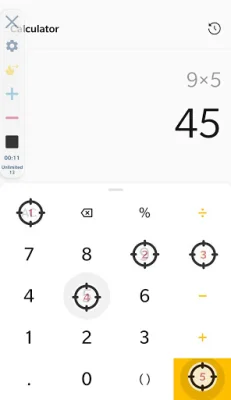
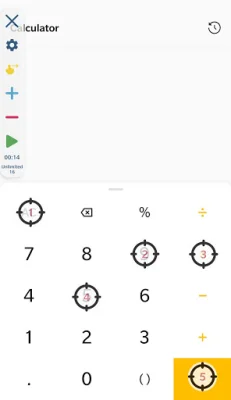
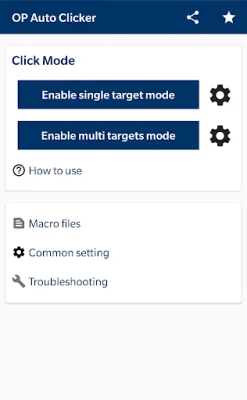
This application is designed to make your mobile device experience more convenient and efficient. It offers a user-friendly interface that is easy to navigate and use. With this app, you can easily perform multiple clicks and swipes, making it easier to complete tasks on your device. Additionally, you have the ability to adjust the size and opacity of the operator interface to suit your preferences.
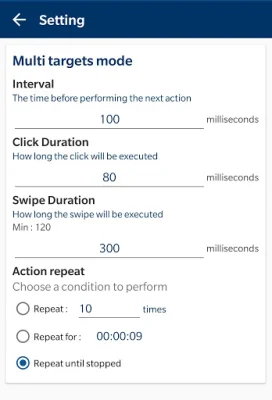
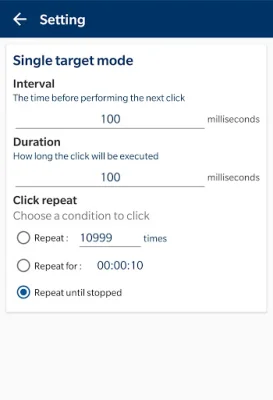
One of the key features of this application is the ability to set parameters for your clicks. This includes options such as delay, touch time, and number of repetitions. This allows you to customize your clicks to fit your specific needs and tasks. Another useful feature is the ability to save and load scripts, making it easier to repeat certain actions without having to manually input them each time.
One important thing to note is that this application does not require root access. This means that you can use it on your device without having to make any modifications or changes to your system. This makes it a safe and convenient option for users who may not be comfortable with rooting their devices.
In order to achieve its autoclicking functionality, this application requires authorization through the Accessibility Service. This is a permission that is available for devices running Android 7.0 or above. This permission is necessary for the app to perform actions such as clicks and swipes, which are essential for its core functionality.
It is important to note that this application does not collect any private data through its use of the Accessibility Service. This approach is simply used to implement the necessary actions for the app to function properly. This means that you can use this app with peace of mind, knowing that your private data is not being collected or shared.
Rate the App















Popular Apps









