
PC Keyboard WiFi/Bluetooth Pro
by BEAppsMobile (0 Reviews) November 18, 2025



Latest Version
November 18, 2025
BEAppsMobile
Tools
Android
0
$0.99
com.beapps.pckeyboardfull
Report a Problem
More About PC Keyboard WiFi/Bluetooth Pro
Transform your Android device into a versatile and convenient wireless keyboard, mouse pad, and trackpad for your computer with the Wireless Keyboard & Mouse for PC app. This app allows you to seamlessly connect your Android device to your computer via WiFi or Bluetooth, giving you the ability to control your PC from anywhere in the room without the need for any extra hardware.
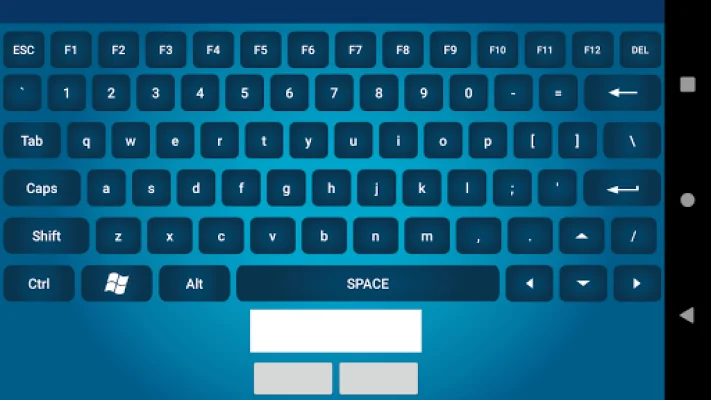
The app offers a variety of key features to enhance your computer control experience. These include support for mouse left/right-click and scroll wheel, low-latency connection over WiFi or Bluetooth, system media controls such as play, pause, volume, and next/previous track, a presentation mode for easy slide navigation, and an on-screen numeric keypad and function keys.
There are many reasons why you'll love this app. For one, it allows you to control your computer from the comfort of your couch, eliminating the need to constantly get up and down. It also makes giving presentations a breeze, as you can move through slides and engage your audience without being tied to your computer. Additionally, the app can be useful for developers and administrators, as it allows them to access headless servers or troubleshoot machines from a distance without the need for a bulky keyboard and mouse.
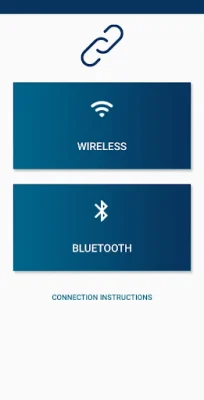
To get started with the Wireless Keyboard & Mouse for PC app, simply install it on your Android phone or tablet and download the free PC companion software from the website provided. Then, launch the PC software and choose WiFi or Bluetooth pairing. Finally, scan the QR code from the app and tap "Connect" to enjoy full keyboard and mouse functionality instantly.
It's important to note that this app is intended for personal, non-commercial use and does not provide encryption for the data it sends to your computer. Therefore, it's recommended to only use this app on a trusted, private, and secure network for your own security.
For the best performance, it's recommended to use a stable 5 GHz WiFi network. And if you have any ideas or run into any issues while using the app, you can visit the website or email the support team for assistance.
If you enjoy using the Wireless Keyboard & Mouse for PC app, please consider leaving a ★★★★★ rating and sharing it with your friends. Take control of your computer without any wires or limits by installing this app today.
Rate the App















Popular Apps









