

PdaNet+
5.32 by June Fabrics Technology Inc. (0 Reviews) July 26, 2024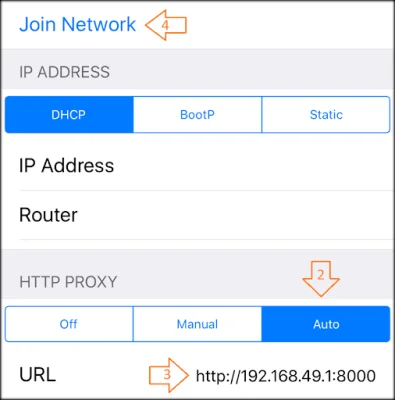
Latest Version
5.32
July 26, 2024
June Fabrics Technology Inc.
Communication
Android
0
Free
com.pdanet
Report a Problem
More About PdaNet+
The PdaNet+ application is a software that allows users to share their phone's internet connection with other devices. It is available for both Windows and Android devices and can be downloaded from http://pdanet.co/install. The Windows side of the application also needs to be updated from this link.
For users who still need the original WiFi Hotspot feature, it is available in a separate app called FoxFi, which can be downloaded from the Play Store. The previous version (4.19) of PdaNet+ can also be found at http://pdanet.co/install/old.
Due to a new location permission required by Android, the app now requires users to allow WiFi scan API calls. It is important to note that without root access, there are limitations to what the app can do. The developers have tried their best to provide a convenient solution for sharing internet, but it may not work for all devices.
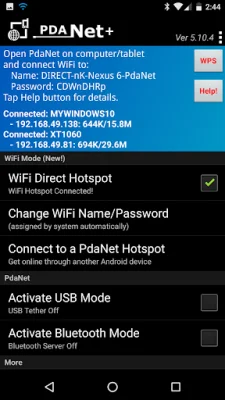
The latest version of PdaNet+ includes a new feature called "WiFi Direct Hotspot" which allows users to connect their computers and tablets to their phone using WiFi. However, this feature requires users to either install a client app or set up a proxy depending on the device they are connecting to. Detailed instructions can be found by activating the feature and tapping the "Help!" button.
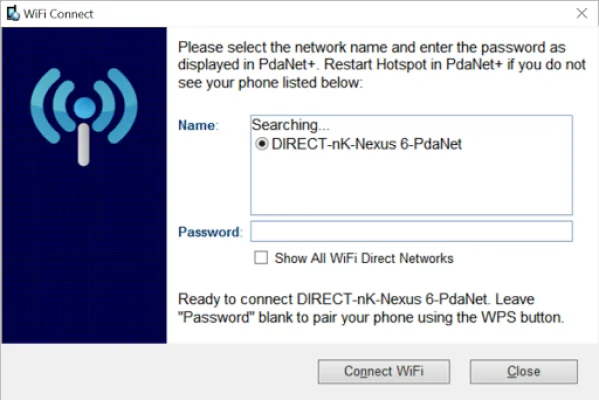
If the Windows computer does not detect the hotspot during pairing, users are advised to restart the hotspot on their phone and click on "Show All WiFi Direct Hotspot". This will verify if the adapter supports 5Ghz.
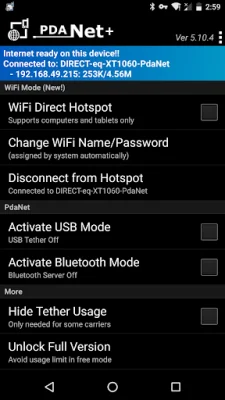
Other modes of connection include USB mode, which works on all Android phones except for some ZTE/Alcatel models, and Bluetooth mode, which is not preferred but can be used to connect Windows devices.
Whether or not a user needs this software depends on their data plan. There are four types of data plans offered by most carriers, and PdaNet+ is useful for plans that do not allow the mobile hotspot feature to be turned on, or for plans that have a limited data cap. The free edition of PdaNet+ has a timed usage limit, but is otherwise the same as the full version. Sprint and AT&T users may need to install the app directly from http://pdanet.co/install or from the computer side, as these carriers may not allow installation from the Play Store.
Rate the App















Popular Apps









