
Phone Bluetooth Keyboard Mouse
1.0 by Ronraj Tech (0 Reviews) September 25, 2024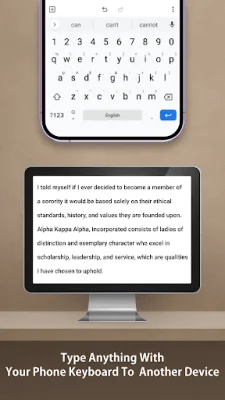

Latest Version
1.0
September 25, 2024
Ronraj Tech
Tools
Android
0
Free
com.ronrajtech.ds.phonebluetoothkeyboardmouse
Report a Problem
More About Phone Bluetooth Keyboard Mouse
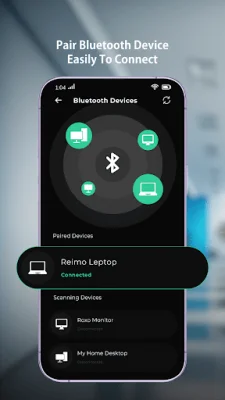
The Get Paired Bluetooth Devices application allows users to easily connect their Bluetooth keyboard and mouse to their phone. If the user does not have any paired devices, they can scan for available devices and then pair them with their phone. Once the devices are paired, the keyboard and mouse will automatically connect to the phone.
The Bluetooth Keyboard and Mouse features include a function keys keyboard, allowing users to type and transmit text to a connected remote device. Users can also type and transmit numbers to a connected remote device. The app also has a clipboard feature, allowing users to easily copy and paste text. Additionally, the app has a "Speak to Type" feature that uses speech recognition to automatically type what the user says.
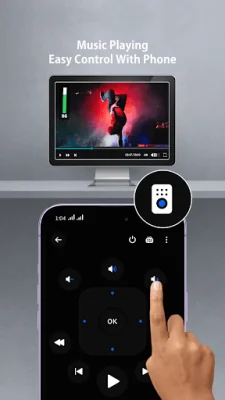
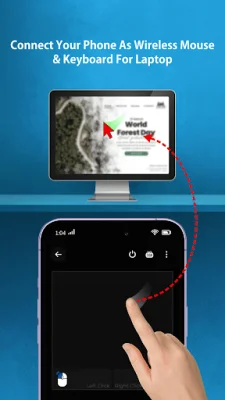
Users can customize their mouse settings, including the speed of the mouse and the scroll speed. The app also allows for easy mouse control, with left and right click options, as well as the ability to use the mouse as an "Air Mouse" to move the cursor. The app also has a media remote feature, allowing users to control media players with play, pause, volume, and other controls.
The app also has a scan Bluetooth device setting, which allows users to easily search for and connect to available devices. Within the keyboard and mouse settings, users can change the language, display mode, keyboard speed, and enable or disable the mouse. They can also choose to use the right mouse as their dominant hand and keep the display on or off while using the mouse control feature.
The app also provides helpful information to users to understand how it works with their phone's Bluetooth. It is important to note that the app strictly maintains user privacy and does not store any user data for personal use. This ensures that users can trust the app and feel confident in using it to connect their Bluetooth devices to their phone.
Rate the App















Popular Apps









