

PhoneX Dialer & Call Screen
v2.2.5 by MobileIdea Studio (0 Reviews) October 01, 2024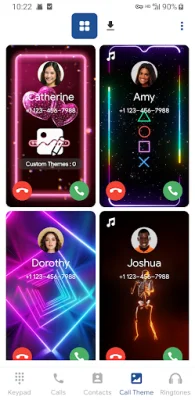
Latest Version
v2.2.5
October 01, 2024
MobileIdea Studio
Communication
Android
0
Free
com.idea.callscreen.themes
Report a Problem
More About PhoneX Dialer & Call Screen
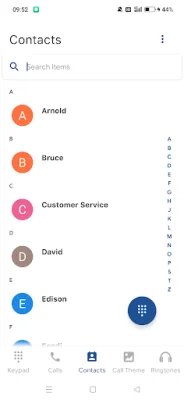
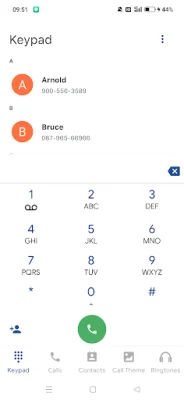
Upgrade your calling experience with PhoneX today! PhoneX is a user-friendly dialer application that will enhance your phone calls. It features a simple and convenient interface that will take your calling experience to the next level. With PhoneX, you can easily search for contacts using the T9 Search mode, making it quick and efficient to find the person you want to call.
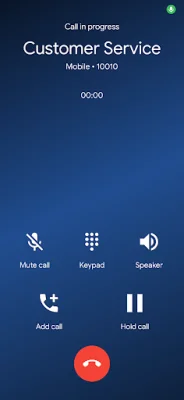
One of the main features of PhoneX is its Caller ID function. This allows you to see the name and number of the person calling you, displayed in a colorful call screen. For unknown numbers, PhoneX will display the country or region information, giving you more context about the caller.
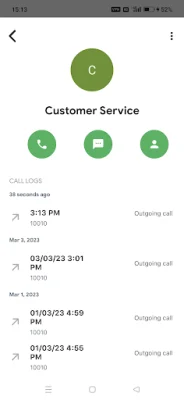
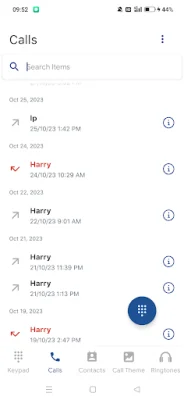
PhoneX also has a Call History Viewer, which allows you to quickly search and delete your call history. This feature is especially useful for those who want to keep their call logs organized and clutter-free.
Make your incoming calls more exciting with PhoneX's Call Screen Themes. You can choose from a variety of beautiful and colorful themes to customize your caller screen. This not only makes your calls more visually appealing, but also helps you easily identify who is calling you.
Never miss an important call again with PhoneX's LED Call Flash Alert. This feature uses color call flash lights to remind you when a call is coming in. Even if your phone is on silent or you can't hear it ringing, the color torch alert will catch your attention. However, it's important to note that PhoneX needs to run in the background of your system to work properly. Some devices automatically kill background processes to keep the system running smoothly, so it's recommended to enable 'Allow background activity' and 'Allow autostart' in the app's settings to ensure PhoneX functions properly. Upgrade your calling experience today with PhoneX!
Rate the App















Popular Apps









