

Pikmin Bloom
105.1 by Make every step count! (0 Reviews) October 19, 2024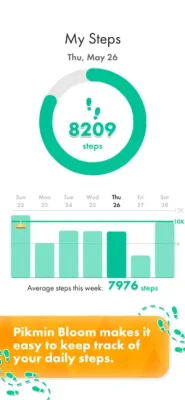





Latest Version
105.1
October 19, 2024
Make every step count!
Games
iOS
298.6 MB
0
Free
Report a Problem
More About Pikmin Bloom
Pikmin Bloom is a mobile game where players can collect over 150 unique types of Pikmin, each with their own quirky decorations like fishing lures, hamburger buns, and paper airplanes. To add more Pikmin to their squad, players can explore their neighborhood and find seedlings and fruit by walking. They can also team up with friends to take down mushrooms and earn rewards, using a dream team of Pikmin to increase their score and find rarer fruit types. As players explore, they can also decorate the world with beautiful flowers, filling up the map with colorful blossoms planted by themselves and other players nearby. The game encourages players to get outside, explore their surroundings, and make the world bloom.
In order to accurately track players' steps, Pikmin Bloom uses the Apple HealthKit with the player's permission. The game is free-to-play but offers in-game purchases and is optimized for smartphones, not tablets. It is compatible with iPhone 6s or higher devices with iOS Version 14 or later installed, but not with iPads. It is recommended to play while connected to a network for accurate location information, and compatibility is not guaranteed for devices without GPS capabilities or those only connected to Wi-Fi.
Players should also be aware that continued use of GPS running in the background can drain battery life. For optimal performance, it is recommended to use a device with at least 2 GB of RAM. If players experience frequent problems, they can try closing all other apps while playing and using the most recent operating system for their device. If the problem persists, they can consult the iOS troubleshooting guide or contact the game's support team for assistance. It is also important to note that devices without a built-in data-network connection may not be able to maintain a sufficient GPS signal to play during mobile-data network congestion.
Rate the App















Popular Apps









