
Pixel Art - Color by Number
10.3.0\"},{\"releaseDate\":\"2025-09-07 by Coloring book with art games (0 Reviews) October 31, 2025



Latest Version
10.3.0\"},{\"releaseDate\":\"2025-09-07
October 31, 2025
Coloring book with art games
Games
iOS
216 MB
0
Free
Report a Problem
More About Pixel Art - Color by Number
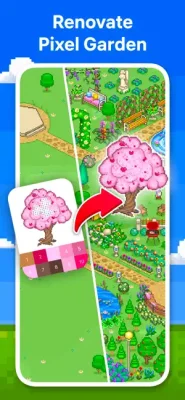
Pixel Art is an innovative and exciting application that offers a variety of features to enhance your coloring experience. One of the newest features is the Flower Garden, where you can color unique objects and build your own garden to earn rewards. This adds a new dimension to the already popular Pixel Art world. With a wide range of coloring pages to choose from, including Mandalas, Patterns, Animals, Birds, Flowers, Places, and Food, there is something for everyone. The collection is constantly updated with new images, ensuring that you always have something new to color.
In addition to the regular coloring pages, Pixel Art also offers special events where you can color thematic pictures and receive original artworks and boosters as rewards. This adds an element of excitement and challenge to the coloring experience. Another unique feature is the 3D coloring option, which allows you to color images in a whole new way. You can also use the Pixel Art Camera to color your own pixel pictures using selfies or any other photos.
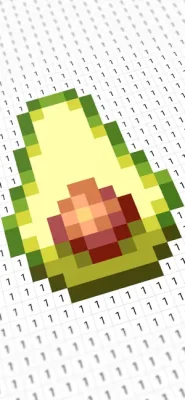
Pixel Art provides a variety of coloring tools to make your experience even more enjoyable. The Magic Wand tool allows you to paint multiple neighboring cells of the same number, while the Color Splash tool lets you color multiple neighboring cells of any numbers. This makes coloring faster and more efficient. You can also easily share your timelapse videos with friends on social media or via email with just one tap.
With its intuitive design and smooth performance, Pixel Art makes coloring a stress-free and enjoyable activity. And for those who want even more features, there is the option to upgrade to Pixel Art Premium. This subscription allows you to unlock everything, access daily updates, and remove ads for a seamless coloring experience.
When you subscribe to Pixel Art Premium, payment will be charged to your Apple ID Account. The subscription will automatically renew unless you turn off auto-renewal at least 24 hours before the end of the current period. You can manage your subscriptions and turn off auto-renewal in your Apple ID Account Settings. For more information, please visit the provided link. It's important to note that any unused portion of a free-trial period will be forfeited if you decide to subscribe.
Pixel Art also has an End User License Agreement and a Privacy Policy, which can be found on the website. These documents outline the terms and conditions of using the application and how your personal information is collected and used. With its wide range of features and user-friendly design, Pixel Art is the perfect application for anyone looking to relax and enjoy the art of coloring.
Rate the App















Popular Apps









