

PNC Mobile
4.49 by PNC Bank, N.A. (0 Reviews) July 27, 2024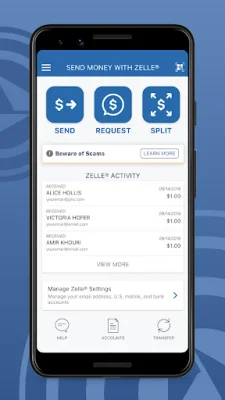
Latest Version
4.49
July 27, 2024
PNC Bank, N.A.
Finance
Android
0
Free
com.pnc.ecommerce.mobile
Report a Problem
More About PNC Mobile
Protect your accounts by setting up fingerprint or Face Authentication to securely sign on to the app. You can also quickly and conveniently reset your password if needed. This ensures that your personal information and financial data are kept safe and secure.
Send money easily with Zelle® to people you know and trust using their mobile number or email address. This feature allows for quick and secure transactions between individuals.
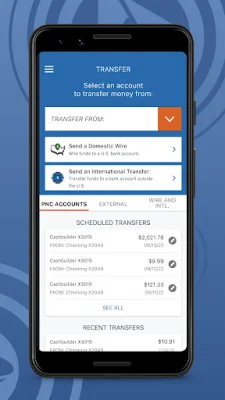
Transfer funds between eligible PNC accounts and external bank accounts with ease. This convenient feature allows you to manage your finances and move money between accounts seamlessly.
Make deposits quickly and easily with your Android device. Simply use your device's camera to deposit checks into your account, eliminating the need to physically visit a bank branch.
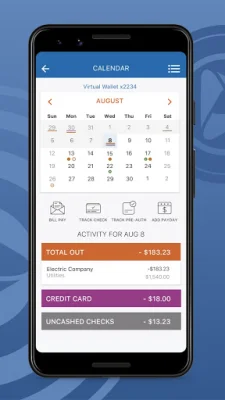
Pay bills directly from the app by adding your bills and making one-time or recurring payments. This feature saves time and hassle by allowing you to manage your bills in one place.
Manage your PNC credit, debit, and SmartAccess® cards directly from the app. You can also make in-store payments with PNC Pay, making it easier to make purchases on the go.
Lock or unlock your PNC debit or credit card if it is misplaced. This added security feature gives you peace of mind and allows you to easily protect your accounts.
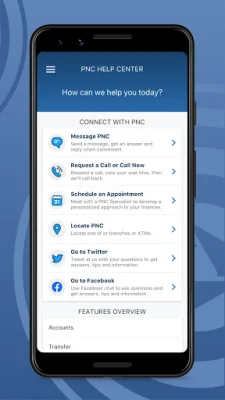
Locate the nearest PNC ATM or branch using the app's location services or by searching with a zip code or street address. This makes it easier to access your accounts and manage your finances.
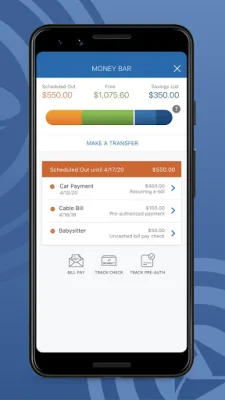
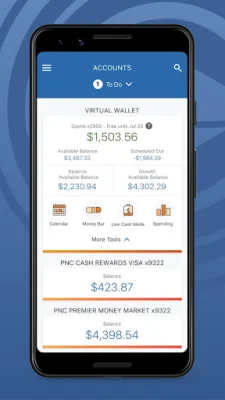
If you have Virtual Wallet®, you'll have access to additional tools and insights to help you reach your financial goals. These tools include a Scheduled Out feature that shows your available balance after subtracting known bills and expenses, as well as a Money Bar® that visualizes your spending and savings.
Track your spending and set budgets with the app's categories feature. This allows you to see where your money is going and create budgets to help you stay on track.
Make saving easier by setting up savings goals and using automatic rules to regularly transfer money to your savings. You can also use a personalized piggy bank feature to make saving more fun.
Rest assured that your personal and financial information is protected with PNC's Security and Privacy measures. This ensures that your data is safe while using the app.
Before using Zelle to send money, it is important to confirm the recipient's information and only send money to people you know and trust. Zelle is available to almost anyone with a bank account in the U.S. and transactions typically occur within minutes between enrolled users.
There are limits to the number of transactions you can make from a savings or money market account per month. PNC does not charge a fee for Mobile Banking, but third party message and data rates may apply. Mobile Deposit is a feature of PNC Mobile Banking and requires a supported camera-equipped device and a PNC Bank account and Online Banking. Certain restrictions apply, so be sure to review the terms and conditions. Virtual Wallet, PNC SmartAccess, and SmartAccess are registered trademarks of The PNC Financial Services Group, Inc. Zelle and related marks are owned by Early Warning Services, LLC and used under license.
Rate the App















Popular Apps









