
Polygon: Paint Color by Number
5.3 by Draw coloring pixel art games (0 Reviews) September 29, 2024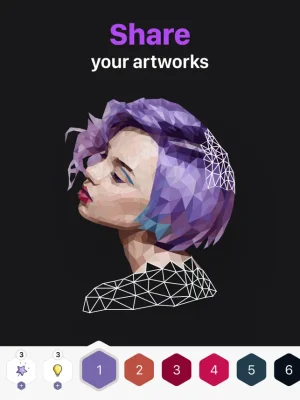
Latest Version
5.3
September 29, 2024
Draw coloring pixel art games
Games
iOS
182.3 MB
0
Free
Report a Problem
More About Polygon: Paint Color by Number
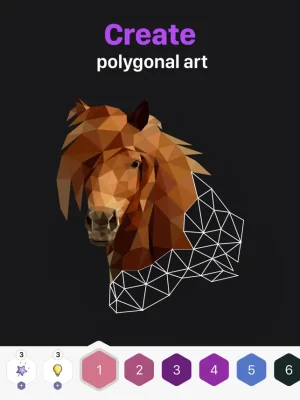
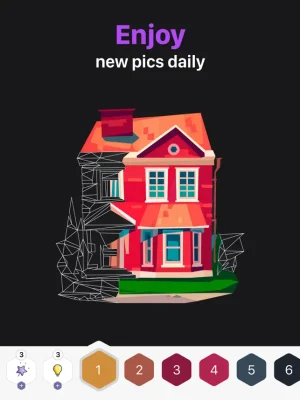
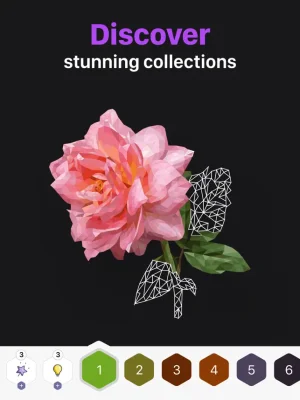
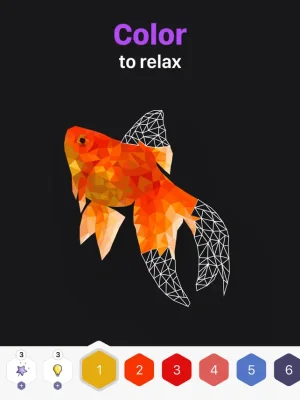
This low poly puzzle game is the perfect way to unwind and unleash your creativity. With no special skills required, you can color and recolor cute pictures to your heart's content. The game offers a wide variety of drawing pages, including animals, birds, marine life, flowers, places, food, and people. And with new images added daily, there's always something new to explore.
But Polygon isn't just about coloring - it's about creating unique and beautiful artworks in a polygonal style. And the best part? You can do it anytime, anywhere, without needing wifi. Plus, with the option to share your creations with friends in just one tap, you can show off your artistic skills and spread the joy of coloring.
For those looking for an even more immersive experience, there's Polygon Premium. This paid subscription allows you to unlock all pictures, remove interstitial and banner ads, and enjoy a seamless coloring experience. With two subscription options - one month with a 3-day free trial or one year - you can choose the plan that works best for you.
When you subscribe to Polygon Premium, payment will be charged to your iTunes Account upon confirmation of purchase. The subscription will automatically renew for the same price and duration period, but you can turn off auto-renewal at least 24 hours before the end of the current period. Your account will be charged for the subscription fee within 24 hours prior to the end of the current period for the price initially selected.
Managing your subscription is easy - simply go to your iTunes Account Settings to turn off auto-renewal or make any changes. And for more information, you can visit the link provided in the app. Please note that no cancellation of the current subscription is allowed during the active subscription period, and any unused portion of a free trial will be forfeited upon subscribing.
At Polygon, your privacy is important to us. That's why we have a dedicated Privacy Policy that outlines how we collect, use, and protect your personal information. And for more details on the terms and conditions of using our app, please refer to our Terms of Use. So why wait? Download Polygon now and start creating beautiful artworks while relaxing and having fun!
Rate the App














Popular Apps









