
Portfolio Performance
1.10.0 by MSM Mannheimer Software-Manufaktur UG (0 Reviews) December 01, 2025
Latest Version
1.10.0
December 01, 2025
MSM Mannheimer Software-Manufaktur UG
Finance
Android
0
Free
software.msm.portfolio_performance
Report a Problem
More About Portfolio Performance
The mobile application works by accessing the same data file as the desktop version. This file can be secured with a password using industry-standard AES256 encryption. Users can choose to synchronize the file with their preferred cloud storage provider, such as iCloud, Google Drive, or OneDrive. This ensures that their financial transaction history remains private and all calculations are done locally on their phone.
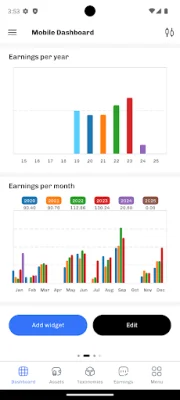
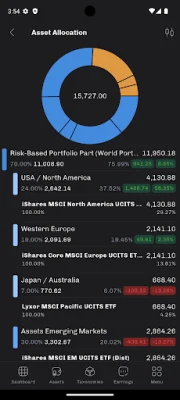
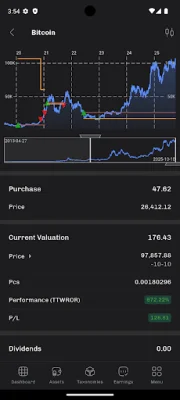
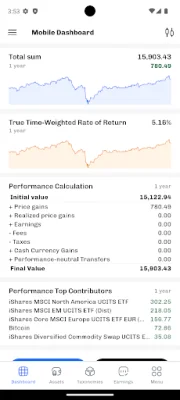
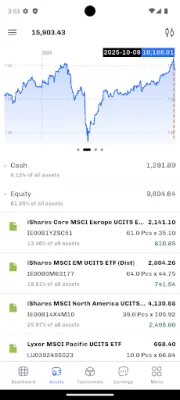
The application supports a variety of features, including the ability to update historical prices for Portfolio Report, HTML, JSON, CoinGecko, Eurostat, and Yahoo Finance. Users can also view statements of assets and related charts, access performance views and charts, and view earnings information with yearly and monthly charts. Taxonomies, exchange rates, and filters are also available to help users customize their calculations and charts.
For those who want even more features, there is an optional 'Premium' subscription available. This subscription unlocks additional dashboards and supports future development of the application. With the subscription, users can view all dashboards created in the desktop version and also create and edit mobile dashboards to fit their specific information needs on their mobile screen.
It is important to note that payment for the subscription will be charged to the user's Google Play account upon confirmation of purchase. The subscription will automatically renew unless it is canceled at least 24 hours before the end of the current period. Users can manage and cancel their subscriptions through their account settings on the Google Play Store after purchase. Additionally, the application currently supports 29 of the 46 dashboard widgets available in the desktop version and offers analysis for all reporting periods, with the exception of those based on "trading days" using a trade calendar. The application also offers a dark mode for users who prefer a darker color scheme.
Rate the App












Popular Apps









