

PRAVEXBANK BIZ
by АТ "ПРАВЕКС БАНК" (0 Reviews) May 22, 2026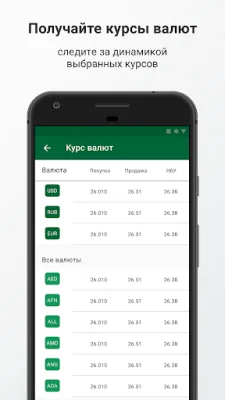
Latest Version
May 22, 2026
АТ "ПРАВЕКС БАНК"
Finance
Android
0
Free
ua.com.dbosoft.ibank2ua.pravex
Report a Problem
More About PRAVEXBANK BIZ
The "Corporate clients" section is the main focus of this application, where users can access a variety of features and tools to manage their accounts and finances. This section includes several items such as "My Accounts", "Hryvnia order", "Recipients", "At confirmation", "My deposits", "E-mails", "Exchange rates", and "Addresses". Each of these items serves a specific purpose and allows users to perform various tasks related to their corporate accounts and finances.
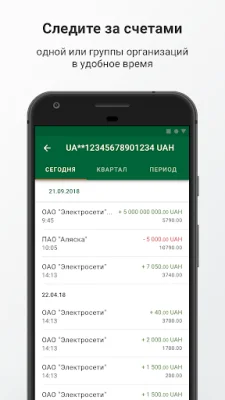
One of the key features in this section is "My Accounts", which allows users to view a list of their accounts and access account statements. This provides users with a comprehensive overview of their financial standing and allows them to keep track of their transactions and balances.
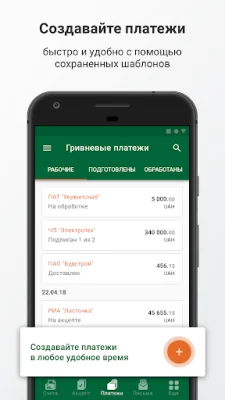
The "Hryvnia order" feature enables users to manage hryvnia payment orders, giving them control over their financial transactions. This allows for efficient and convenient management of payments, ensuring that all transactions are processed accurately and on time.
Another important feature is "Recipients", which allows users to manage their directory of recipients. This feature makes it easy for users to keep track of their payees and make payments to them quickly and securely.
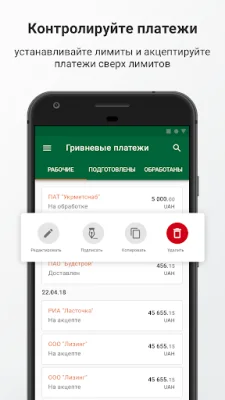
The "At confirmation" feature is essential for managing limits and processing documents that require acceptance. This ensures that all transactions and documents are properly authorized and approved, providing an extra layer of security for corporate clients.
Users can also access their deposit information through the "My deposits" feature, which allows them to view a list of open and closed deposits, receive statements, and even replenish hryvnia deposits. This makes it easy for users to manage their savings and investments through the application.
The "E-mails" feature allows users to manage their incoming and outgoing e-mails, providing a convenient way to communicate with the bank and stay updated on important information and announcements.
Additionally, users can view the bank's exchange rates through the "Exchange rates" feature, ensuring that they have the most up-to-date information when making international transactions.
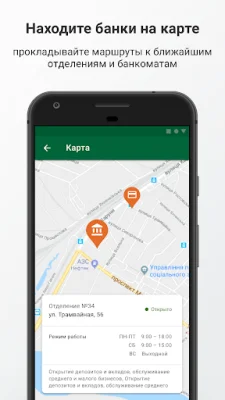
Lastly, the "Addresses" feature allows users to view and search for branches and ATMs on a map, making it easy to find the nearest location for their banking needs. This feature adds convenience and accessibility for corporate clients, allowing them to easily access the bank's services wherever they are.
Rate the App














Popular Apps









