
PROTECTIMUS TOTP BURNER
1.3.1 by Protectimus Limited (0 Reviews) September 17, 2024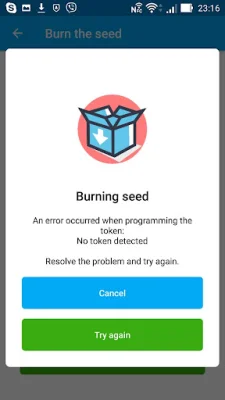
Latest Version
1.3.1
September 17, 2024
Protectimus Limited
Tools
Android
0
Free
com.protectimus.totpburner.nfc
Report a Problem
More About PROTECTIMUS TOTP BURNER
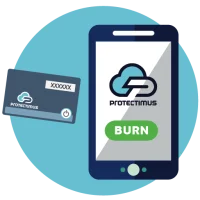
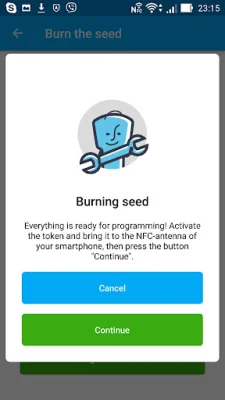
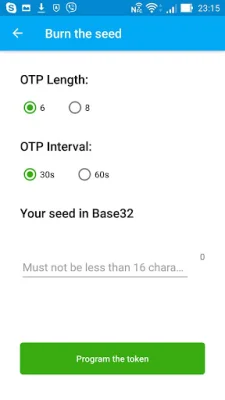
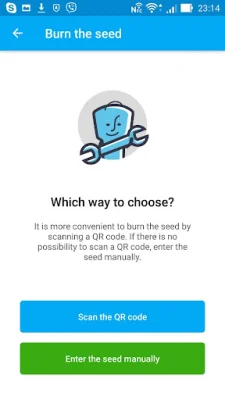
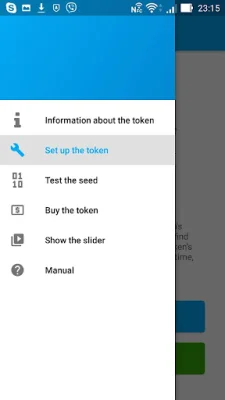
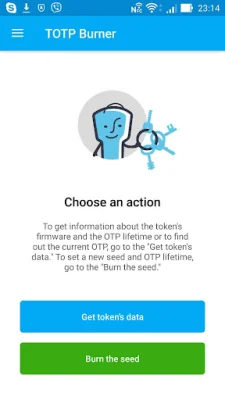
Protectimus Slim/Flex programmable hardware tokens are a secure and efficient alternative to traditional methods of generating one-time passwords, such as mobile applications and SMS authentication. These tokens provide comprehensive protection against password interception and theft from infected devices, making them a reliable choice for enhanced security. The Protectimus Slim/Flex token is compatible with two-factor authentication servers that support OATH standards, as well as popular solutions like Google Authenticator. This means it can be used for a wide range of services, including Google, Facebook, Dropbox, and more. If your service is not on the list, you can contact the company to see if it is compatible with the Protectimus Slim mini-token. One of the key features of the Protectimus Slim/Flex token is the ability to program it with a secret key of 16 to 32 characters in length. This allows for a high level of customization and security. Users can also choose the expiration time for their one-time passwords, either 30 or 60 seconds, and easily check the current password and view information about the token. Setting up the token is a simple process. If you have an NFC-enabled Android phone, you can download the Protectimus TOTP Burner app and use it to set up the token. Otherwise, you can initiate the setup on the system where you need enhanced security. It is important to save the secret key in a safe place for easy restoration of the token. The key can be scanned using the TOTP Burner app or entered manually, with the recommended method being automatic. Once the token is activated and placed near the phone's NFC antenna, users can tap "Burn the seed" to successfully program the 2FA token. With Protectimus Slim/Flex, users can enjoy reliable and convenient protection for their accounts on any service, making it difficult for hackers to access their information. To learn more about the Protectimus Slim token, visit their website at https://www.protectimus.com/slim-mini/. For more information on the Protectimus Flex token, visit https://www.protectimus.com/otp-token-protectimus-flex/. Choose Protectimus Slim/Flex for a secure and customizable solution to your two-factor authentication needs.
Rate the App















Popular Apps









