

PWSB Business
by Port Washington State Bank (0 Reviews) March 19, 2026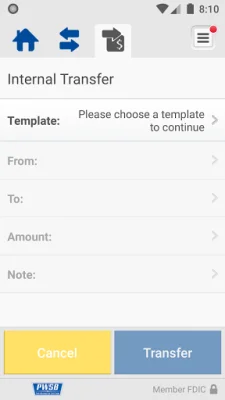

Latest Version
March 19, 2026
Port Washington State Bank
Finance
Android
0
Free
com.portwashington.biz
Report a Problem
More About PWSB Business
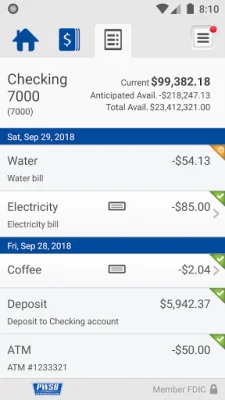
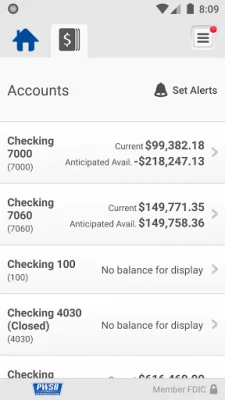
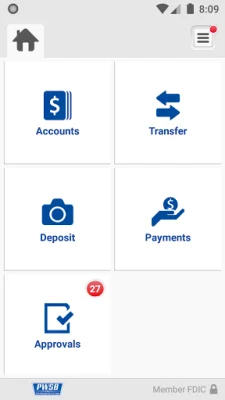
This application offers a variety of features to help manage your business accounts. With this app, you can easily check your account balances, view recent transactions, and transfer money between accounts. This makes it convenient to keep track of your finances and make necessary transfers without having to visit a physical bank location.
One of the most convenient features of this app is the ability to deposit checks by simply taking a picture of each check. This eliminates the need to physically go to a bank or ATM to deposit checks, saving you time and effort. You can also view your deposit history within the app, making it easy to keep track of your deposits.
The app also allows you to review and approve transactions that have been scheduled through Business Online. This includes fund transfers, ACH transfers, and wire transfers. You can also review and approve Positive Pay exceptions, ensuring the security of your transactions. The app also sends alerts when approvals are pending, keeping you updated on any necessary actions.
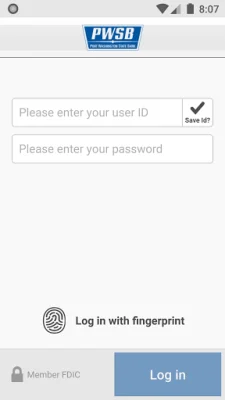
Getting started with this app is simple. All you need to do is download the app and sign on with your Business Internet Banking user credentials. This makes it easy for existing customers to access the app and start using its features. For more information about the mobile services offered by Port Washington State Bank, you can visit their website or contact them directly.
It's important to note that carrier's data rates may apply when using this app. This means that your mobile data plan may be charged for using the app, so it's important to check with your carrier beforehand. Overall, this app offers a convenient and efficient way to manage your business accounts and transactions, making it a valuable tool for any business owner.
Rate the App















Popular Apps









