

Quick Share - Share Apps & Fil
1.0 by Runtime Developers (0 Reviews) August 04, 2024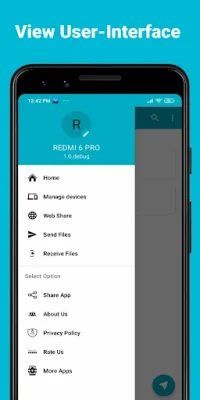
Latest Version
1.0
August 04, 2024
Runtime Developers
Tools
Android
0
Free
com.runtime.quickshare.sharefiles.shareit.filetransfer
Report a Problem
More About Quick Share - Share Apps & Fil
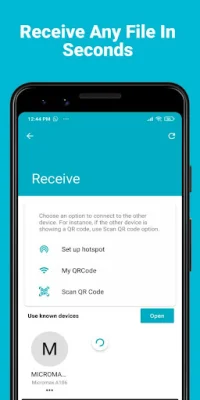
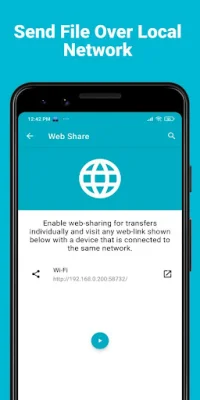
The ShareIt app is a fast, free, and simple way to transfer and share files, movies, videos, apps, pictures, and documents offline. It allows users to easily send and receive large files without the need for an internet connection. This app is a great alternative to other sharing apps like Xender and Jio Switch.
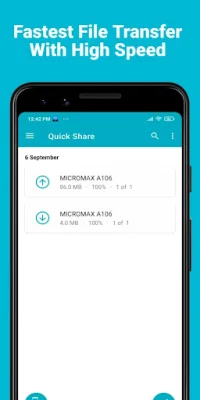
With ShareIt, users can quickly share and transfer music, movies, videos, apps, and other files with lightning-fast speeds of up to 20Mb/s. This makes it easy to share large files instantly without using any mobile data. The app also allows users to easily upgrade and download apps from their friends.
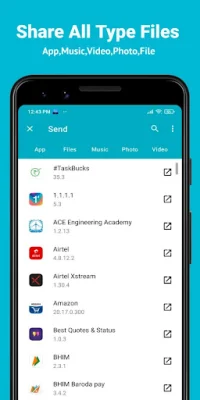
One of the key features of ShareIt is its ability to transfer and share all types of files, including movies, photos, videos, music, installed apps, apks, folders, and more. This makes it a versatile and convenient tool for users who need to share various types of files.
ShareIt is an Indian app that is known for its fast transfer speeds and simple interface. It is a lightweight app that is easy to use and does not require any cables or USB connections. This makes it a great option for users who want to transfer files quickly and easily without any hassle.
One of the reasons why ShareIt is considered the best alternative to Xender and other sharing apps is because it offers a range of features that make it stand out. These include lightning-fast transfer speeds, the ability to share large files instantly, and the option to receive files in any format. Additionally, ShareIt does not have any ads, making it a more user-friendly option for those who want to avoid distractions while using the app.
It is important to note that ShareIt will not access any permissions that are irrelevant to its functionality. The app may ask for access to location services in order to help users discover nearby users, but this is a requirement of the Android system and is not used for any other purpose. Overall, ShareIt is a reliable and efficient app for sharing and transferring files offline, making it a popular choice among users.
Rate the App















Popular Apps









