

Quiz Maker (Create Quiz /Test)
Apex.5.13.1 by QmakerTech (0 Reviews) November 03, 2025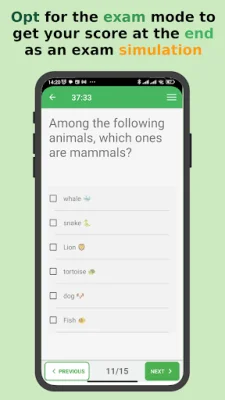

Latest Version
Apex.5.13.1
November 03, 2025
QmakerTech
Education
Android
0
Free
com.devup.qcm.maker
Report a Problem
More About Quiz Maker (Create Quiz /Test)
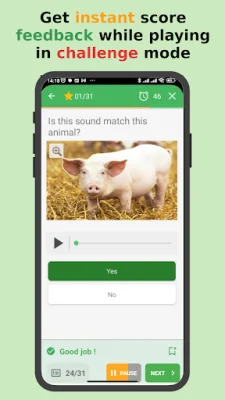
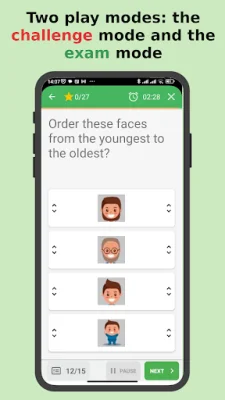
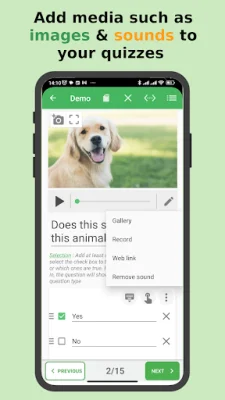
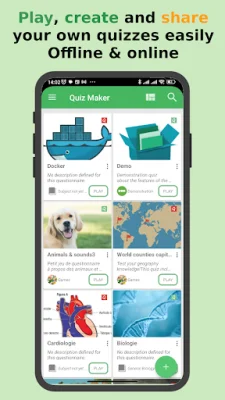
The QuizMaker app allows users to create interactive test quizzes with pictures and sounds, and automatically scores them. These quizzes can be used for self-evaluation or for entertainment purposes. Users can also share their quizzes with others as a *.qcm file. The app offers various question types, including multiple choice, single answer, open-ended, and more. Quizzes can be played in exam mode or challenge mode, and can be customized with features such as case sensitiveness, help with answer entering, and randomization strategies.
A *.qcm file is a compressed file that contains a set of questions, proposals, and answers. It supports multimedia content such as images and sounds, and can be interpreted automatically by any compatible application. The QuizMaker app acts as a manager, reader, and editor for *.qcm files, allowing users to easily create, edit, and share their own quizzes. These files can be renamed, copied, moved, or deleted, and can be edited through a simple and intuitive interface.
Whether you are a teacher, student, or trainer, QuizMaker is the ultimate app for education, learning, and assessment. It combines the power of a quiz creator with the fun of a game maker, making it perfect for training, studying, or exam simulation. With unlimited quiz creation, playing, and sharing capabilities, users can create interactive quizzes that combine learning and playing. This app is ideal for teachers preparing lessons, students practicing exams, or anyone passionate about quizzing.
QuizMaker offers a variety of features to customize quizzes and enhance the quiz playing experience. Users can add images and sounds, configure case sensitiveness and help with answer entering, and choose a randomization strategy for questions and answers. They can also set a custom scoring policy and enjoy a range of other configurations. The app is constantly evolving, and users are encouraged to email suggestions for further improvements.
In order to play a shared quiz file (*.qcm file), the receiver must have the QuizMaker app or a compatible *.qcm file reader installed. This allows for easy sharing and portability of quizzes. With QuizMaker, users can enjoy creating, playing, and sharing quizzes both online and offline. It's the perfect tool for anyone looking to make learning more engaging and fun. So why not give it a try and see how original and SEO-oriented you can be with your quizzes? 😉
Rate the App














Popular Apps









