
RBC EZPay 2.0
1.03.06 by RBC Financial (Caribbean) Limited (0 Reviews) October 07, 2024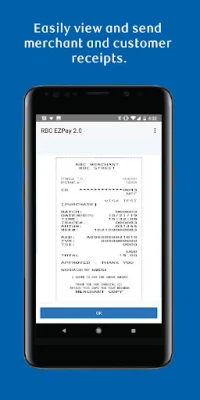
Latest Version
1.03.06
October 07, 2024
RBC Financial (Caribbean) Limited
Finance
Android
0
Free
com.rbccaribbean.ezpay2
Report a Problem
More About RBC EZPay 2.0
The RBC EZPay 2.0 application is a convenient and secure way for businesses to accept payments on-the-go. By downloading the app and connecting your Android device to the RBC EZPay 2.0 device via Bluetooth, you can easily process transactions and provide receipts to your customers.
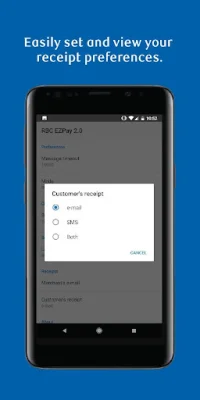
With this app, you can view transaction receipts and send them directly to your customers via text or email. This feature ensures that your customers receive their receipts in a timely and efficient manner, while also keeping their information safe and secure.
Before installing the RBC EZPay 2.0 application, it is important to note that by selecting "Install," you are giving consent for the app to be installed on your device. You also agree to future updates or upgrades, which may be automatically installed according to your device's settings. If you wish to withdraw your consent, you can simply delete the app from your device.
It is also important to review and agree to the terms and conditions found in the RBC Royal Bank Merchant Agreement before installing the app. This ensures that you are aware of your responsibilities and obligations as a user of the RBC EZPay 2.0 application.
By installing the RBC EZPay 2.0 application, you are also giving consent for the app to access your text and email accounts in order to send receipts to your customers. This feature makes it easy for you to provide receipts while also maintaining the privacy and security of your customers' information.
For more information on privacy and security at RBC, you can visit their website or your nearest RBC Royal Bank branch. To learn more about RBC Merchant Services, you can visit their website and select your country, then navigate to the "Business" section and click on "Merchant Services." By using the RBC EZPay 2.0 application, you are also agreeing to the terms and conditions set by Royal Bank of Canada, including their registered trademarks.
Rate the App














Popular Apps









