Remote Control For Ruku TV
1.9.0 by Dynamic Remote (0 Reviews) August 22, 2024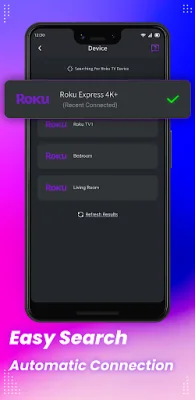
Latest Version
1.9.0
August 22, 2024
Dynamic Remote
Tools
Android
0
Free
best.ldyt.controller
Report a Problem
More About Remote Control For Ruku TV
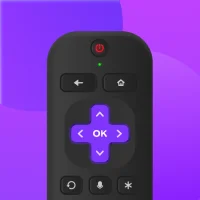
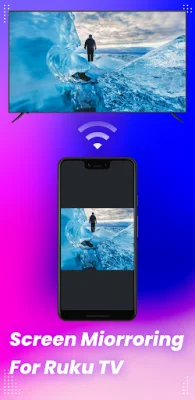
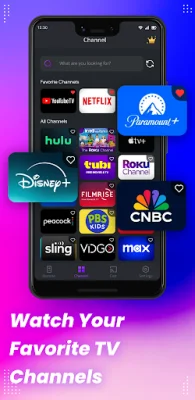
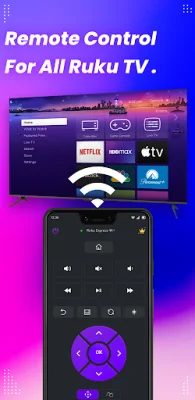
This application allows you to easily watch your favorite shows on Roku TV or mirror/cast videos, pictures, and audio from your phone to your Roku device. All you need to do is connect your Android mobile device and Roku device to the same WiFi network. The Roku TV remote control app will automatically connect to your Roku TV device, making it convenient and hassle-free to use.
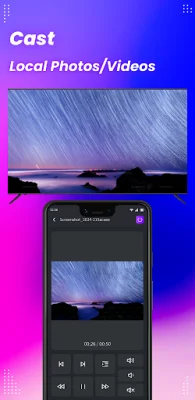
So why should you choose Remote Control For Roku TV? Firstly, it offers automatic connection and scanning, meaning you don't have to manually pair and set up your devices. Additionally, every operation provides precise haptic feedback, ensuring smooth and uninterrupted remote control. You can also simplify text input and searching on your TV with a virtual keyboard. Plus, you can quickly mirror photos and videos from your phone to your Roku TV, or even cast your phone screen in real-time.
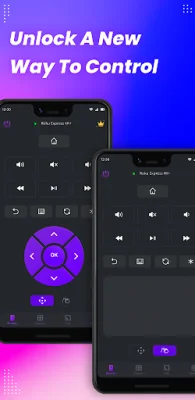
This app also offers power controls, allowing you to easily turn your Roku TV on or off from your mobile device. You can also control playback of content on your Roku device or TV with play/pause, fast forward/rewind, and volume controls. It's a comprehensive and user-friendly remote control app for your Roku TV.
Currently, this app supports various Roku TV models, including Roku Express, Roku Express+, Roku Streaming Stick, Roku Streaming Stick+, Roku Premiere, Roku Premiere+, and Roku Ultra. The team behind this app is continuously working to expand its compatibility with more Roku TV models.
It's important to note that this app is not affiliated with or endorsed by Roku, Inc. Roku is a trademark of Roku, Inc. If you encounter any issues with the app, make sure that your mobile device and Roku TV are connected to the same WiFi network. If you need further assistance, you can contact the app's customer support team at [email protected]. For more information about the app, you can visit their website at https://ldyt.online.
Rate the App















Popular Apps









