Remote Control for Samsung TV
by Invikta Technology (0 Reviews) April 01, 2026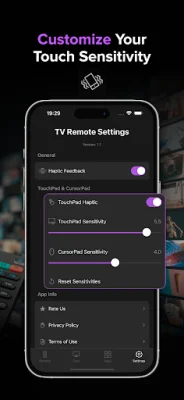
Latest Version
April 01, 2026
Invikta Technology
Tools
Android
0
Free
com.remotetv.samsung
Report a Problem
More About Remote Control for Samsung TV
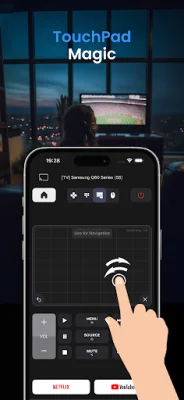
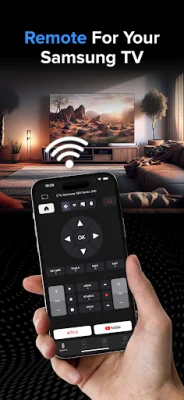
If you have a Samsung Smart TV, this app is a must-have for you. It allows you to use your phone as a replacement remote, making it easier to control your TV. With a touchpad and cursor control, you can navigate through TV menus, apps, and even the web browser with precision. You can also adjust the sensitivity settings to make scrolling smoother and selections more accurate.
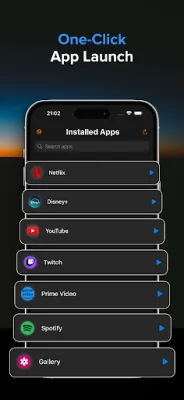
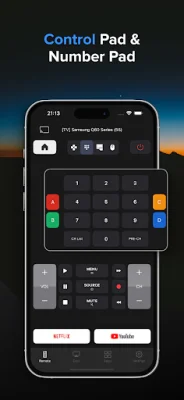
The app also offers full remote controls, including power, volume, mute, channels, D-pad navigation, home/menu, and playback options. You can also access your TV's installed apps in one place through the App Hub and launch them with just one tap. Plus, with the quick launch feature, you can open your favorite streaming apps faster (availability depends on TV model/region).
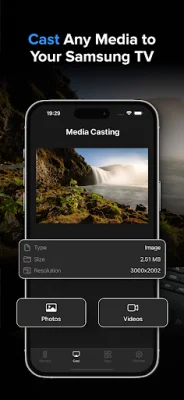
One of the most exciting features of this app is the ability to cast photos and videos from your phone to your Samsung TV in seconds. You can also switch between multiple Samsung TVs in your home, making it convenient for households with more than one TV.
To use this app, you need to connect your phone and Samsung Smart TV to the same Wi-Fi network. Once connected, you can easily pick your TV from the device list and start using your phone as a remote. However, if you encounter any issues, there are troubleshooting tips provided, such as ensuring both devices are on the same router and restarting the TV.
This app is compatible with many Samsung Smart TV models that support Wi-Fi remote control. However, features may vary depending on the model, software version, and region. It's important to note that this app focuses on remote control and casting photos/videos and does not provide full phone screen mirroring.
It's also worth mentioning that this app is not an official Samsung application and is not affiliated with Samsung Electronics. Samsung is a trademark of Samsung Electronics Co., Ltd. So, if you're looking for an easy and convenient way to control your Samsung Smart TV, this app is a great option to consider.
Rate the App



Popular Apps









