Remote Samsung TV
1.2.16 by ToolsLab (0 Reviews) August 04, 2024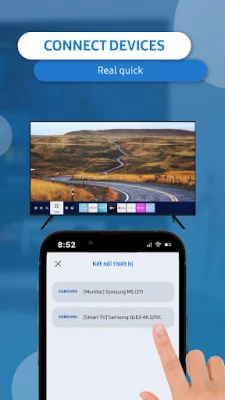
Latest Version
1.2.16
August 04, 2024
ToolsLab
Tools
Android
0
Free
com.toolslab.remotesamsungtv
Report a Problem
More About Remote Samsung TV
Samsung offers a variety of high-quality televisions, including QLED, 4K UHD, FULL HD, Neo QLED, Crystal UHD, and Lifestyle models such as The Frame and The Premiere. To enhance your viewing experience, Samsung has developed a remote control app that allows you to control your TV with your mobile device. This app eliminates the need for a physical remote and reduces the hassle of constantly replacing batteries. It also promotes eco-friendliness by reducing electronic waste.
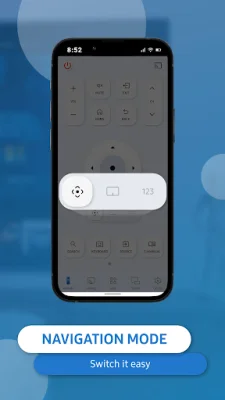
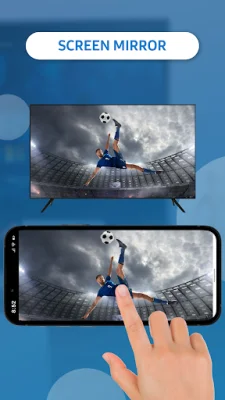
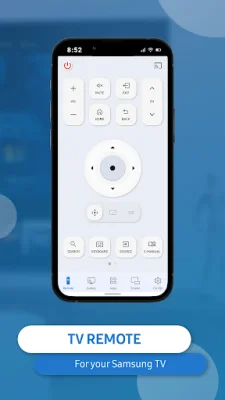
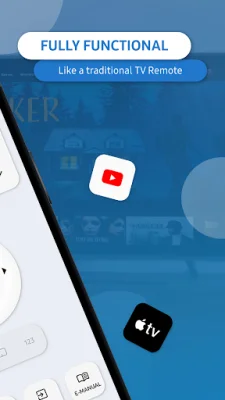
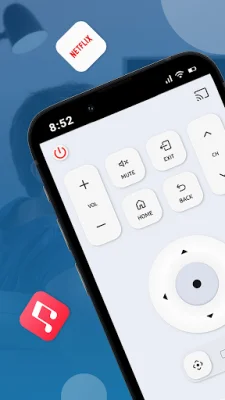
The Samsung remote app has several key features that make it user-friendly and convenient. It can automatically detect your Samsung smart TV on the same WIFI network, making setup quick and easy. The keyboard feature simplifies text input and searching on your TV, and you can use the app to power on/off the TV, adjust volume, control channels, and change navigation modes. You can also access your favorite channels and apps with just a few taps and mirror your phone or tablet screen to your TV in high resolution. Additionally, you can cast local photos, videos, and web videos to your Samsung smart TV.
To connect your mobile device to your TV using the Samsung remote app, simply open the app and go to the main interface. Then, click the device button in the top right corner to access the device list and choose the TV you want to connect to. Once connected, you can enjoy the convenience of controlling your TV with your phone.
If you encounter any issues with the app, there are a few troubleshooting steps you can take. Make sure your phone and TV are on the same WIFI network, and try reinstalling the app and rebooting the TV. Upgrading the app to the latest version may also solve some connection issues. If you continue to experience problems, you can try downloading the Samsung SmartThings app on another device.
Say goodbye to the hassle of constantly replacing batteries and misplacing your remote. With the Samsung remote app, you can easily control your TV with your mobile device and enjoy a smarter, more convenient viewing experience. Download TV Remote for Samsung Control today and simplify your TV-watching experience!
Rate the App















Popular Apps









