Roku Smart TV Remote Control
by HyperSoft AI - Apps Lab (0 Reviews) November 17, 2025
Latest Version
November 17, 2025
HyperSoft AI - Apps Lab
Tools
Android
0
Free
com.ruko.tv.smart.remote.control.casttv
Report a Problem
More About Roku Smart TV Remote Control
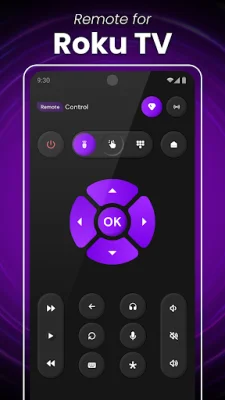
Roku Smart TV Remote is a convenient and user-friendly mobile application that allows you to control your Roku TV and streaming devices. It supports all the major TV brands, including Roku TV and Roku Sticks, LG, Vizio, Samsung, Fire TV and Firestick, TCL, and more. With this app, you can easily turn your smartphone into a TV remote and access all the features of a traditional remote, such as turning the TV on or off, adjusting the volume, finding shows, and selecting channels.
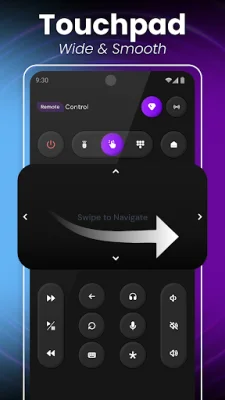
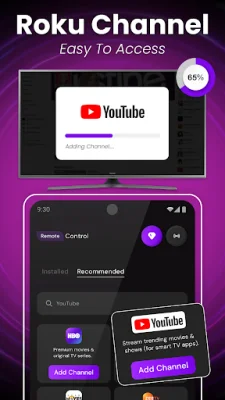
The key features of the Roku Smart TV Remote Control app include using your smartphone as a remote for your Roku TV, easy navigation through channels and menus with a simple touch or swipe, volume and playback control, voice search and commands, channel shortcuts for quick access, keyboard input for faster typing and searching, and quick connectivity with auto-detection of available Roku devices on the same Wi-Fi network.
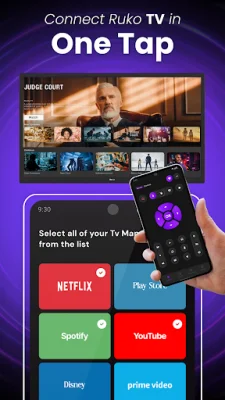
To use the Roku Smart TV Remote Control app, you need to ensure that your smartphone and Roku TV are connected to the same Wi-Fi network. Once connected, the app will automatically scan for nearby Roku devices and display them for you to select. Once you have selected your Roku TV or streaming stick, you can start using your phone as a remote to navigate menus, change channels, adjust volume, launch apps, and control playback.
This app is a great solution for those who have lost their physical remote or prefer the convenience of using their phone. It eliminates common remote problems like losing it or dealing with dead batteries. However, it is important to note that the app must be on the same Wi-Fi network as your Roku TV and if you experience any connection issues, you can try reinstalling the app and restarting your TV to fix common problems. With its user-friendly interface and all-in-one functionality, the Roku Smart TV Remote Control app makes TV watching easy and hassle-free.
Rate the App










Popular Apps









