

ROVE Dash Cam
5.0.7 by ROVE Dash Cam (0 Reviews) April 30, 2026

Latest Version
5.0.7
April 30, 2026
ROVE Dash Cam
Tools
Android
0
Free
com.rovedashcam.android
Report a Problem
More About ROVE Dash Cam
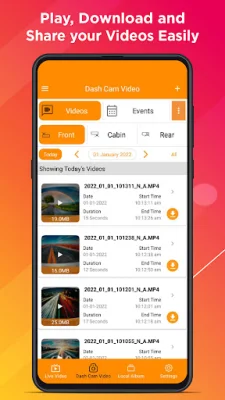
The "What's New" application is a convenient and user-friendly tool that allows users to explore and purchase ROVE products directly from within the app. This new shop feature makes it easier for customers to access and purchase their desired products without having to leave the app. This feature is especially useful for those who are always on-the-go and don't have the time to visit physical stores.
The profile page has also been updated with a refreshed design, making it easier for users to view and manage their profiles and connected dash cams. This new design provides a more organized and streamlined layout, allowing users to easily access and update their information and settings.
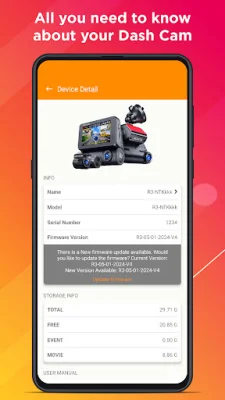
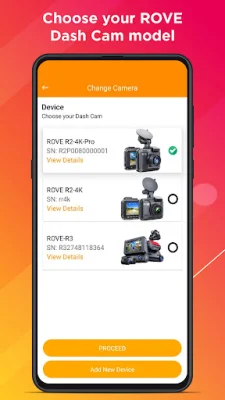
In order to fully enjoy the benefits of this release, it is important to ensure that your dash cam firmware is up to date. The app provides a list of firmware requirements for different ROVE dash cam models, including the ROVE R2-4K PRO, ROVE R2-4K (New), ROVE R2 DUAL, and ROVE R2-4K DUAL PRO. By keeping your firmware up to date, you can ensure optimal performance, reliability, and access to the latest feature enhancements for your ROVE Dash Cam.
To update your firmware, simply open the ROVE App and connect your dash cam. Then, go to Device Settings and select Firmware Update. The app will guide you through the update process, making it quick and easy to ensure that your dash cam is running on the latest firmware.
In conclusion, the "What's New" application is a valuable tool for ROVE customers, providing a seamless and efficient way to explore and purchase products, as well as manage their profiles and dash cams. By keeping your firmware up to date, you can ensure that your ROVE Dash Cam is performing at its best and taking advantage of the latest features and enhancements.
Rate the App















Popular Apps









