
SecureTether WiFi
0.9.7 by PanJava (0 Reviews) July 26, 2024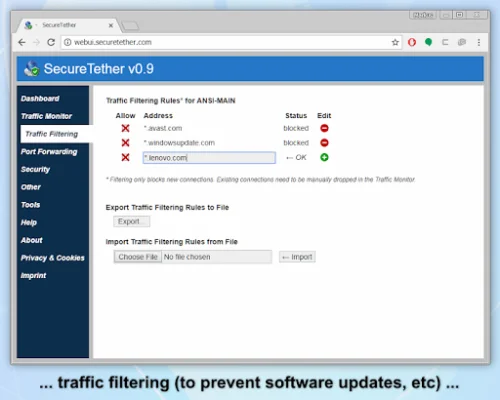


Latest Version
0.9.7
July 26, 2024
PanJava
Communication
Android
0
Free
com.panjava.internet.sharing.tethering.mobile.hotspot.secure.wifi.securetether
Report a Problem
More About SecureTether WiFi
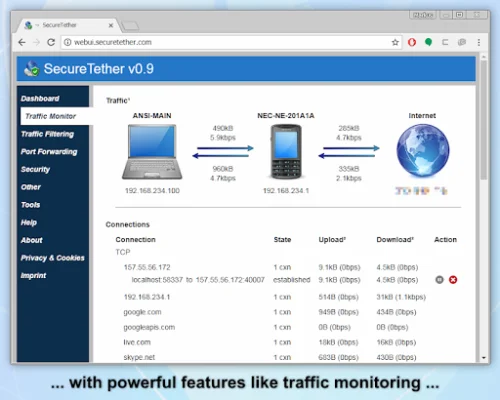
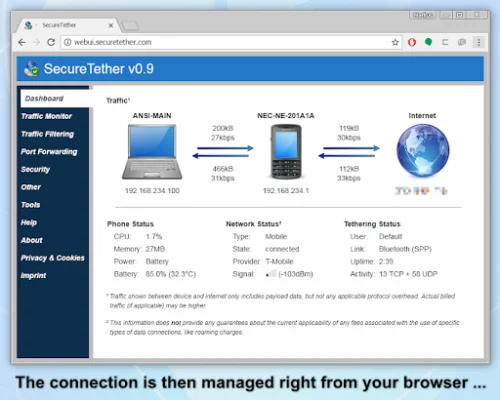
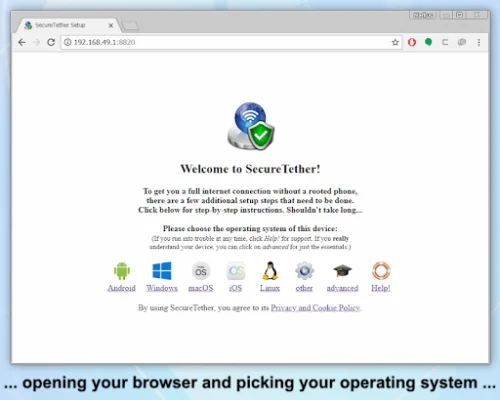
SecureTether is an application that allows you to share your mobile internet connection with your computer or Android tablet. Unlike other apps that only provide HTTP proxy, SecureTether gives you a full internet connection. This means that you can access any website or online service, not just limited ones. You can use this feature anywhere you have cell service, and it works with any data connection on your phone, such as 4G, 3G, LTE, GPRS, WiFi, WiMax, and more. The best part is that you don't need to pay for a tethering plan from your mobile carrier or root your phone or tablet. In addition to providing a full internet connection, SecureTether also offers powerful security and tethering management features. It has a built-in firewall to protect your computer from hackers and can monitor all incoming and outgoing internet connections to detect spyware. You can also block specific websites, which is useful for limiting data usage on a limited plan or preventing automatic updates on Windows. Using SecureTether is easy, with setup instructions and screenshots available for Windows, Mac OS X, and Android. You can also manage and monitor your connections directly from your browser on your computer or tablet. The premium version of the app delivers maximum performance, utilizing the full capabilities of your WiFi, cell service, and CPU. It also includes a DNS cache to speed up website loading and reduce data usage. SecureTether is compatible with a wide range of devices, including any Android 4.0.1+ device, Windows Vista, 7, 8, 8.1, and 10, Mac OS X 10.5+, and Linux (experimental). It also supports port forwarding, making it compatible with streaming, gaming, VoIP, and other software. However, it does not directly support devices like Xbox, PlayStation, or Roku, which do not support VPNs or HTTP or SOCKS proxies. But, you can still connect these devices by sharing your computer's internet connection using Internet Connection Sharing. It is important to note that SecureTether uses your phone plan's regular data volume, not the tethering volume. This means that you can use it without a tethering plan in most cases, but some providers may detect and block tethering traffic. Regular data rates apply, and the free version of SecureTether has a speed limit of 1Mbps after an initial three-week unlimited-speed trial. However, you can remove this limit by purchasing the premium version. To use SecureTether, your Android device must have version 4.1.1 or newer, as older versions do not allow simultaneous operation of WiFi and WiFi Direct. And while computers need to be configured, it can be done using tools that come with Windows, Mac OS, or Linux. In some rare cases, you may need to use the OS installation media or have an internet connection. The Android client app is small and can be downloaded from the SecureTether hotspot, so you don't need an internet connection to install it.
Rate the App















Popular Apps









