

Serial Monitor
4.8.5 by CSA Apps (0 Reviews) September 21, 2024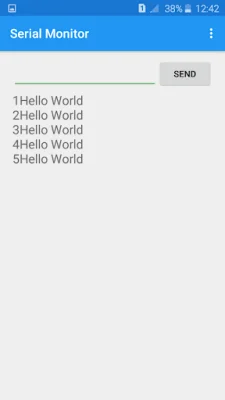
Latest Version
4.8.5
September 21, 2024
CSA Apps
Tools
Android
0
Free
com.csa.serialmonitor
Report a Problem
More About Serial Monitor
This app is designed specifically for Arduino users who want to create projects using their Android device. It offers a variety of special features to make the process easier and more convenient.
One of the main features of this app is the automatic opening of the serial port when the app is launched. This eliminates the need for the user to manually tap on a button to connect or open the port.
Another useful feature is the ability to close the serial port when the app is paused, not just when it is exited. This allows the port to be available for other apps, such as those used for uploading code to the Arduino, without any interference.
The app also has the ability to automatically reopen the serial port when the app is resumed, eliminating the need for the user to tap on a button to do so.
In addition, the app has a feature that resets the Arduino board when the serial port is opened. This allows the user to see the serial outputs in the void setup() function without having to manually reset the board.
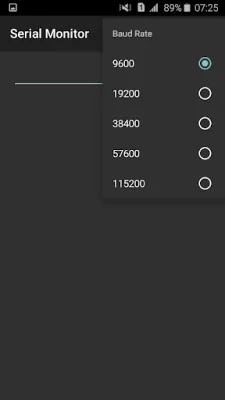
The app comes with default values set to typical values, such as a baud rate of 9600. This makes it easy for users to install and use the app without having to change any settings. However, the settings can be customized to fit the user's specific requirements.
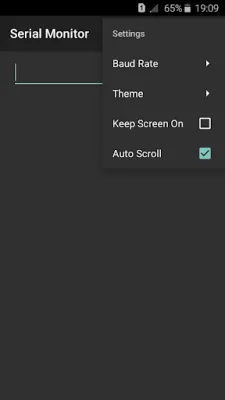
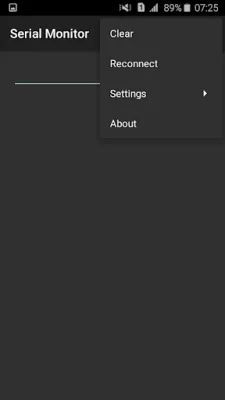
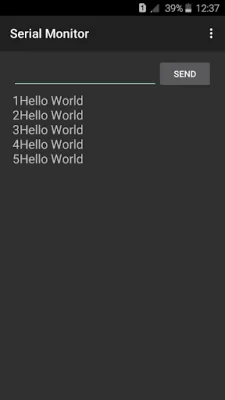
Other features of the app include the ability to change the baud rate from the settings, a feature to reconnect and disconnect, and the ability to enable or disable the auto scroll feature of the output text view. The app also allows the user to keep their phone's screen on for extended periods of time, making it easier to view incoming outputs. Additionally, the app supports not only Arduino boards, but also Node MCU boards for viewing and sending serial data via USB.
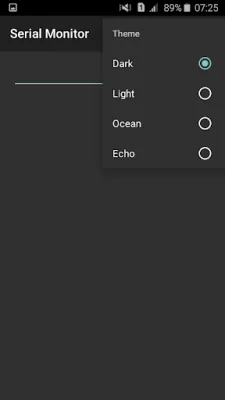
The app also offers a variety of themes for users to choose from, with the option to change them from the settings. This allows users to personalize their experience and choose a theme that best suits their interests.
Rate the App















Popular Apps









