SignalCheck Pro
4.841 by Blue Line Computing (0 Reviews) September 18, 2024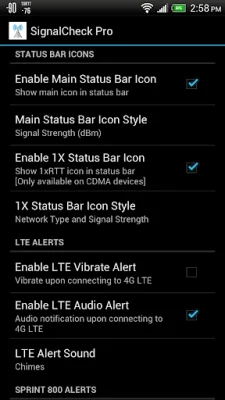

Latest Version
4.841
September 18, 2024
Blue Line Computing
Tools
Android
0
$3.99
com.blueline.signalcheck
Report a Problem
More About SignalCheck Pro
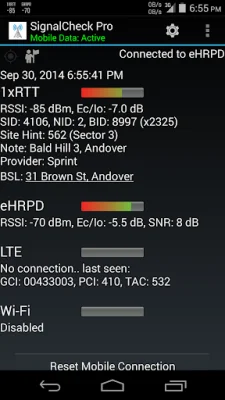
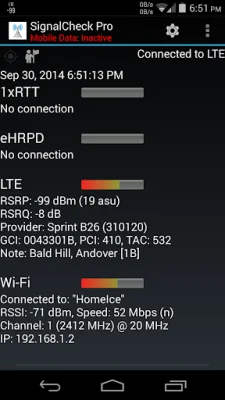
SignalCheck is an upcoming application that will provide support for dual-SIM devices. This feature is currently in development and will be available soon. The app is designed to display all available information that the device is reporting, including details about NR and LTE connections. It was one of the first Android apps to provide detailed LTE information to users. The app also displays the current connection type and carrier name for each connection, even while roaming.
Special thanks goes to S4GRU for their tremendous support of SignalCheck from the very beginning. Users can visit their website, https://www.S4GRU.com, for discussions about T-Mobile network upgrades, as well as talk about devices and other mobile networks. There is also a lengthy SignalCheck forum discussion thread available on the website.
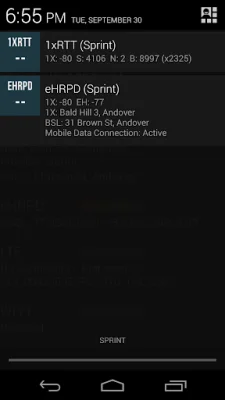
One of the best features of SignalCheck Pro are the notification icons. These icons are customizable and show the data connection strength in the notification area at the top of the screen. More details can be seen in the pulldown menu. The app also displays your signal strength at the top of the screen, along with your other icons, so there is no need to open the app to check your connections. Users can choose to display signal bars, connection type, digital signal strength in dBm, or connection type with signal strength. For CDMA users, a secondary icon can be enabled to always display the 1xRTT signal. All of these features can be customized within the app.
SignalCheck Pro also has the ability to notify the user with optional audio, visual, and/or vibrating alerts when user-defined events occur. These events can include connections to particular NR or LTE bands, complete signal loss, or site pattern matching. The app also displays "neighbor" cells that are in range of the device, but are not currently connected to.
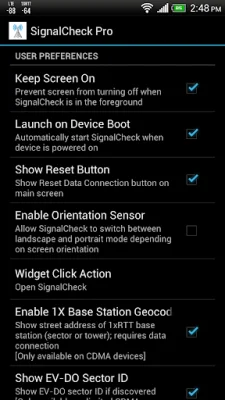
Other features of SignalCheck Pro include the ability to save a log of connected sites and enter a "note" for each site, which will be displayed in the app. This can be useful for identifying specific locations, such as "Springfield High School Tower". The app also has the ability to automatically keep the screen on while in use, display the base station location (CDMA 1X site/sector location) street address, and instantly show it in your favorite mapping app by tapping on it. A home screen widget is also available, which shows the current connection type and real-time signal strengths. Each widget field is color-coded for easy signal information checking.
Feedback is always welcome for SignalCheck Pro, both positive and negative. The app is constantly being improved and updated. In order for the app to operate properly, certain permissions must be granted, such as location and phone access. Denying these permissions will result in limited app functionality due to Android security policies.
Rate the App














Popular Apps









