

SKEDit: Auto Message Scheduler
3.0.9.5 by SKEDit Software International (0 Reviews) July 23, 2024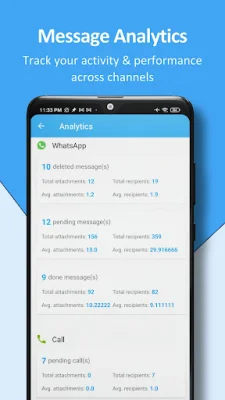


Latest Version
3.0.9.5
July 23, 2024
SKEDit Software International
Communication
Android
0
Free
com.codefish.sqedit
Report a Problem
More About SKEDit: Auto Message Scheduler
This Scheduling app & Autoresponder is like having your own personal assistant. It helps you be more productive, save time, and reduce stress. With SKEDit, you can schedule messages, auto-send messages, and set auto-replies for WhatsApp, Telegram, and Messenger. This allows you to focus on other tasks while SKEDit takes care of your communication needs.
There are many reasons why you should use SKEDit. It can help you reach a larger audience, improve engagement and experience, boost productivity, and stay on top of important communication. You can also view all your scheduled communication across multiple channels in one place. Let SKEDit do the hard work while you focus on other tasks.
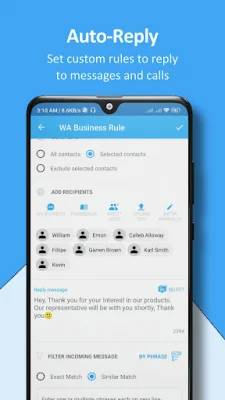
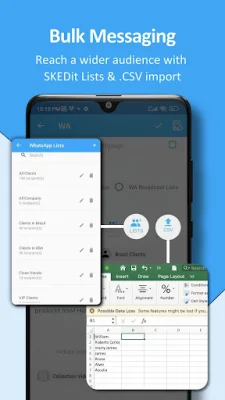
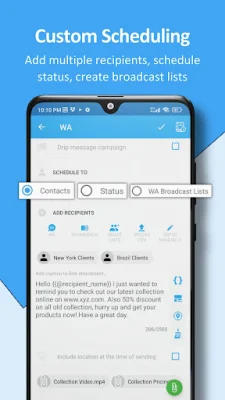
SKEDit has many useful features, such as automating messages for WhatsApp, Telegram, and Messenger, scheduling WhatsApp status updates, sending unlimited messages to unlimited recipients, and adding various attachments. You can also set custom auto-reply rules, create drip message campaigns, and use labels to categorize your scheduled messages. SKEDit also offers message statistics and analytics, as well as multi-language support.
There are many possible use cases for SKEDit. It can be used for marketing and sales purposes, such as lead follow-ups and product promotions. It can also be used for business productivity, such as sending instructions to your team or job opportunities. Additionally, SKEDit can be used for reminders, such as appointment and task reminders, as well as special occasion greetings.
Using SKEDit is easy and only requires three simple steps. First, choose the communication service you want to automate or set auto-replies for. Then, add your content, whether it's a message or a WhatsApp status. Finally, schedule the exact time and date for your message and let SKEDit handle the rest.
It's important to note that SKEDit is not affiliated with WhatsApp, Telegram, or Messenger. These are registered trademarks of their respective companies. SKEDit uses Android Accessibility services to automate sending messages and mimics user behavior on screen. It does not modify user settings or prevent users from uninstalling the app. SKEDit is designed to simplify your digital life and enhance efficiency through intelligent device automation.
Rate the App















Popular Apps









