

(구)쏠 비즈(SOL Biz) 신한기업뱅킹
5.2.0 by Shinhan Bank (0 Reviews) August 08, 2024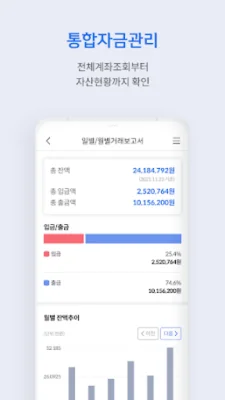

Latest Version
5.2.0
August 08, 2024
Shinhan Bank
Finance
Android
0
Free
com.shinhan.sbizbankold
Report a Problem
More About (구)쏠 비즈(SOL Biz) 신한기업뱅킹
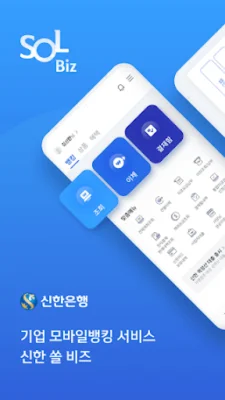
This application is a banking service that allows users to perform basic banking tasks such as checking their account, making transfers, paying bills, and sending foreign currency. It also offers a quick transfer service that can be accessed from any menu through a quick transfer button. Users can also manage their employees' salary accounts through a salary ledger, making it easy and fast to transfer salaries. The app also has a product mall where users can sign up for various financial products such as savings accounts, loans, and foreign currency accounts without having to visit a bank in person.
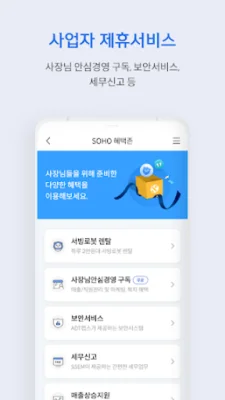
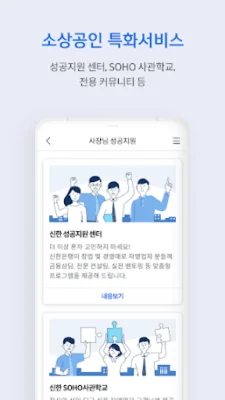
One of the main features of this application is its integrated fund management service, which allows users to manage multiple bank accounts, corporate cards, and purchase and sales information from various financial institutions in one place. This service also provides functions such as account and card inquiries, fund collection, and report generation. Additionally, the app offers various non-financial services for small business owners, such as business partnerships, tax support, and online shopping services.
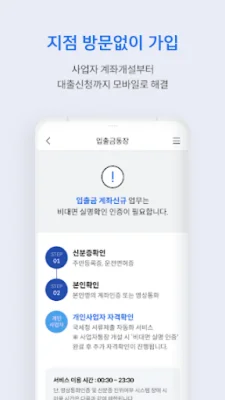
To make it easier for small business owners to use the app, it offers a simple login process using a PIN, pattern, or fingerprint, without the need for a corporate authentication certificate. Users can also sign up for the app without having to visit a bank in person through a non-face-to-face real-name verification process for individual business owners. However, for those who prefer to visit a bank, they can still apply for the service by bringing the necessary documents to a branch.
There are a few things to keep in mind when using this app. It is recommended to download the app using a Wi-Fi network to avoid data charges. Also, the app cannot be used on devices that have been hacked. If there are any issues with copying the authentication certificate, it may be due to firewall settings, so it is recommended to try using a different device. In case of installation problems, users can check the "Unknown Sources" option in the settings.
To use this app, users need to grant certain permissions, such as access to phone status and ID verification, storage, contacts, camera, and microphone. These permissions are necessary for the app to function properly, but users can still use the app without granting them. However, some features may be limited. Users can also manage these permissions in the app's settings menu.
Rate the App















Popular Apps









