

Sound Amplifier
by Google LLC (0 Reviews) July 28, 2024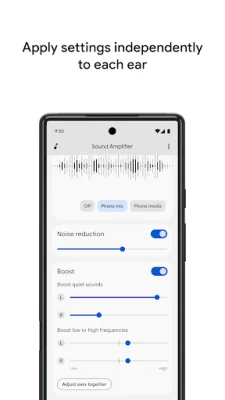


Latest Version
July 28, 2024
Google LLC
Communication
Android
0
Free
com.google.android.accessibility.soundamplifier
Report a Problem
More About Sound Amplifier
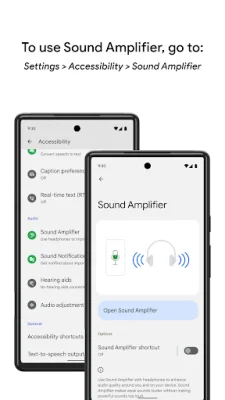
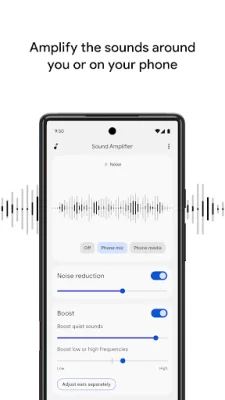
Sound Amplifier is an application designed for Android devices that aims to improve the user's listening experience in various environments. It offers a range of features to reduce unwanted noise and focus on a speaker's voice, making it easier to understand conversations, TV shows, or lectures. The app is available for devices running Android 8.1 or later and requires the user to pair their device with headphones. One of the main features of Sound Amplifier is its ability to reduce unwanted noise, allowing the user to better recognize speech. This can be especially helpful in noisy environments where it may be difficult to hear and understand conversations. Additionally, the app offers a conversation mode for Pixel 3 and above devices, which further enhances the user's ability to focus on a speaker's voice in noisy environments. For audio sources that are farther away, Sound Amplifier recommends using Bluetooth headphones. However, it is important to note that there may be a delay in sound transmission when using Bluetooth headphones. The app also allows users to personalize their listening experience by adjusting noise reduction and boosting low or high frequencies. These preferences can be set for both ears or separately for each ear. Sound Amplifier can be easily turned on and off using the accessibility button, a gesture, or Quick Settings. This makes it convenient for users to access the app and adjust their settings as needed. For more information on how to use these features, users can visit the support page provided by Google. In order to use Sound Amplifier, users must have an Android device running 8.1 or later and pair it with headphones. The conversation mode feature is currently only available for Pixel 3 and above devices. Users are encouraged to provide feedback on the app by emailing [email protected]. For additional support, users can connect with Google's disability support team. The app requires access to the device's microphone in order to process audio for amplification and filtering. However, no data is collected or stored. As an accessibility service, Sound Amplifier may also observe the user's actions, retrieve window content, and observe typed text. This is necessary for the app to function properly and improve the user's listening experience.
Rate the App















Popular Apps









