
Speaking Alarm Clock
0.9.182 by Wansoft (0 Reviews) March 31, 2026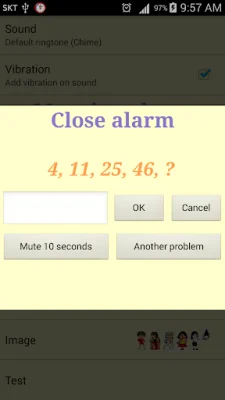
Latest Version
0.9.182
March 31, 2026
Wansoft
Tools
Android
0
Free
wan.pclock
Report a Problem
More About Speaking Alarm Clock
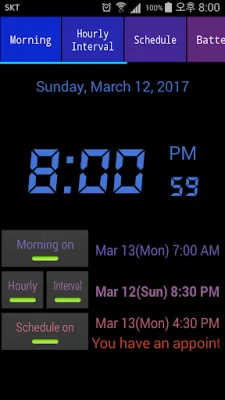
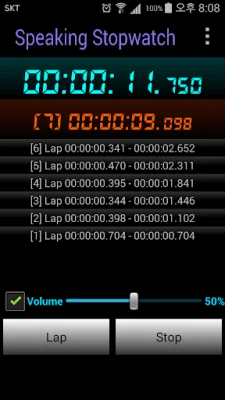
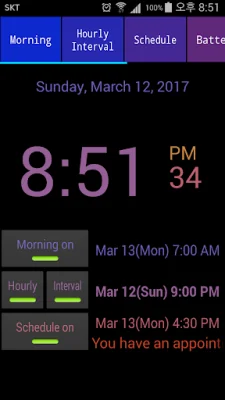
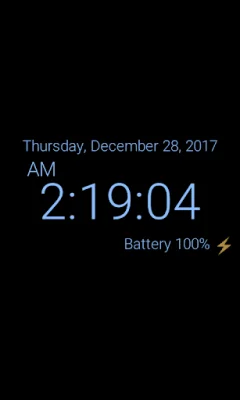
The application is a multi-functional clock that allows users to easily check the date, time, and battery status. It also includes features such as a speaking stopwatch and timer, the ability to tell the current time without looking at the device, and a morning wake-up alarm with customizable options. The clock also has hourly chime and interval alarms, as well as scheduled alarms with TTS voices. Additionally, it includes battery warning alarms and a variety of analog and digital clock widgets to choose from.
One of the main features of the clock is its ability to adjust the brightness by touch, making it convenient for users to customize their viewing experience. It also includes a burn-in prevention function to protect the device's screen. The speaking stopwatch and timer feature adds a voice component to these functions, making it easier for users to keep track of time. The recorded contents can also be shared.
The "Tell me what time is it now" feature allows users to check the current time without having to look at their device. This is especially useful when listening to music, watching movies, or playing games. The clock uses TTS (Text to speech) to announce the current time when the device is shaken or other options are activated.
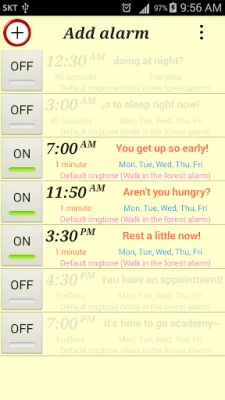
The morning wake-up alarm has several customizable options, such as setting separate wake-up times for weekdays and weekends, gradually increasing the volume of the alarm, and choosing from internal ringtones or personal music files as the alarm sound. The countdown snooze function allows for extra sleep, and users can also choose to use a puzzle lock to turn off the alarm.
The clock also includes hourly chime and interval alarms, with the option to choose from various voices or sounds. Users can also change the time and sound for each interval alarm. Scheduled alarms with TTS voices allow users to set reminders for specific times and have them announced by the clock.
The clock also includes battery warning alarms for when the device is fully charged or needs to be charged. The level of low battery can be customized, and the clock can announce the current battery level when the charging cable is connected or disconnected. Users can also set a battery interval notification to continuously hear the battery level in a TTS voice.
Some permissions are required for the clock to function properly, such as Wi-Fi connection for advertising, access to photos/media/files for setting sound files as alarms, and device ID and call information to ensure the alarm does not go off during a call. These permissions are only used for their intended purposes and users can feel at ease using the app.
In summary, the clock application offers a variety of useful features such as customizable alarms, speaking functions, and battery warnings. It also includes cute and functional clock widgets for users to choose from. With its convenient and practical features, this clock app is a must-have for anyone looking for a reliable and versatile timekeeping tool.
Rate the App














Popular Apps









