
Speech To Text:live transcribe
2.1.0 by Palmmob Inc. (0 Reviews) May 12, 2026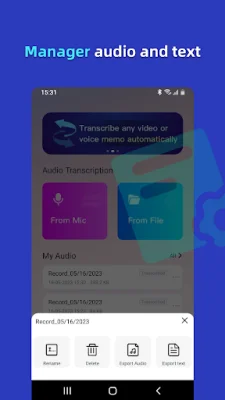
Latest Version
2.1.0
May 12, 2026
Palmmob Inc.
Tools
Android
0
Free
com.palmmob3.audio2txt.gg
Report a Problem
More About Speech To Text:live transcribe
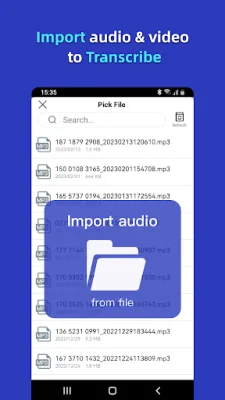
Convert voice notes to text with the option to upload an audio file or use real-time speech-to-text conversion. This app, called Transcribe, supports all audio formats and multiple languages, making it easy to share your text and audio files. You can manage all your audio and documents, and even synchronize them in real-time between your mobile phone and computer. Plus, you can export your transcribed text as a TXT file or audio file. Download Speech To Text today and start transcribing like a pro!
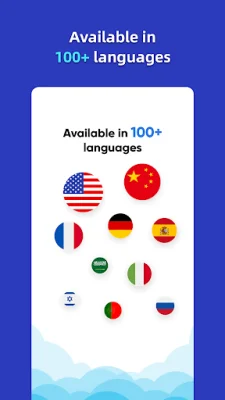
Some of the key features of this app include the ability to transcribe audio to text in just minutes, live speech-to-text conversion, and easy exporting, sharing, and saving of your files. It's perfect for taking meeting minutes, as the automatic dictation is just as accurate as manual dictation. This app can also help improve productivity in various aspects of life, such as school and work. And with support for over 100 languages, it's accessible to a wide range of users.
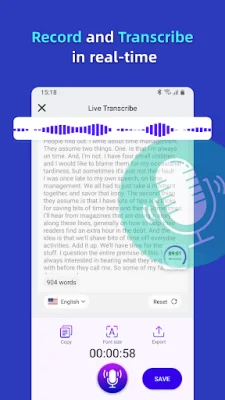
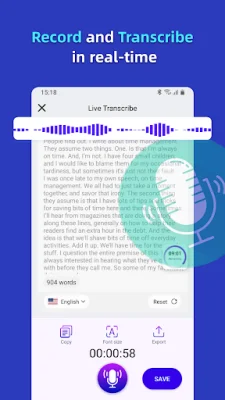
One of the standout features of Transcribe is its Live Transcribe function. This uses your smartphone's microphone to transcribe voice to text in real-time, ensuring that you don't miss any important details during meetings, lectures, interviews, and more. The text appears on your device as it's spoken, and you can even type what you want to say and have the app do the rest. This makes it perfect for capturing live conversations, podcasts, and videos.
The app also has the ability to transform various audio file formats, such as m4a, wav, mp4, and mp3, into text. This makes it easy to convert audio from different applications and share the converted text on social media platforms. And with support for multiple languages, you can convert speech from various languages into text. There are no limits to the amount of audio that can be converted, so you can use Transcribe whenever you need to. Plus, the converted text is automatically saved within the app for easy access and viewing.
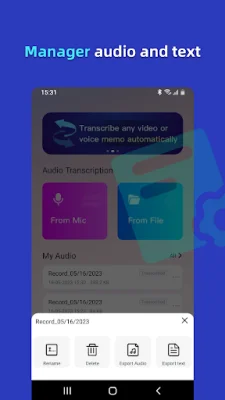
Transcribe also includes an Audio Files Manager, allowing you to organize your conversations into personal folders. You can also copy the text to your clipboard or share it directly with other apps. And for added convenience, you can export your transcribed text as a TXT file or audio file. The app is designed with privacy in mind, so all your audio and documents are 100% safe. Unlike other apps, Transcribe doesn't process your files on a remote server, ensuring your privacy and security. If you have any questions or suggestions, you can reach out to the customer support team through email.
Rate the App










Popular Apps









