

Speed Dial
1.13 by SK Mobile Development (0 Reviews) July 28, 2024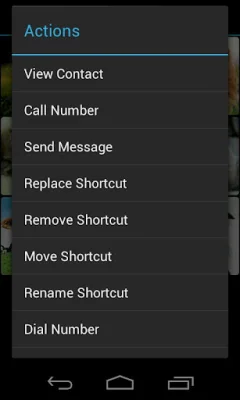


Latest Version
1.13
July 28, 2024
SK Mobile Development
Communication
Android
0
$1.99
at.android.speeddial
Report a Problem
More About Speed Dial
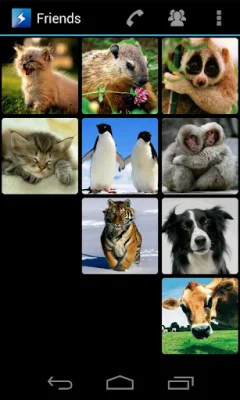
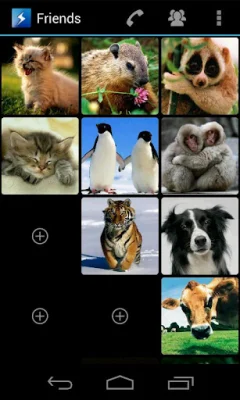
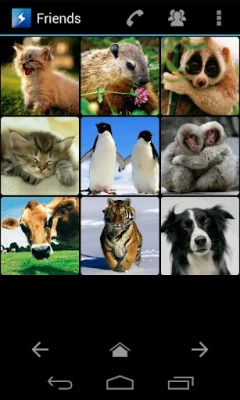
This application allows users to customize their speed dialer by defining what happens on a short or long click. Users can choose between instant call, sending a text message, or just viewing the contact. The app also features an animated grouping feature for friends, family, or co-workers. It is designed to be the easiest and best looking speed dialer available.
Before using the app, users are encouraged to read the FAQ section for any questions they may have. If they encounter any problems, they are advised to contact the developer instead of giving a bad rating. It is also recommended to try the free version before purchasing the full version. While the app is not officially supported on Android 3.x (Honeycomb), it may still work.
The full version of the app offers 120 contact shortcuts and 4 animated contact groups, as well as the ability to swipe or fling through the groups. Users can also customize their click actions, choose from different layouts, and use the app in fullscreen mode. It supports both portrait and landscape modes and allows for multiple contact phone numbers. Additionally, it features a quick and simple dialer and the ability to open the phone's call log, contacts, and dialer.
The FAQ section addresses common questions such as how to add a new shortcut from the phone's contact list, what to do if something is not working properly, and the difference between the full and lite versions. It also explains how to use the 'Shortcuts Group' sliders and the 'Short/Long Click Action' functionality. The 'Actions' menu allows users to quickly replace, move, rename, or remove a shortcut. The app also includes a media scanner for scanning files on the phone without unplugging the SD card.
The app requires permissions to read contacts for adding a new contact and reading phone numbers, as well as to call a number using the phone's dialer app. The developer encourages users to be original and SEO-oriented when using the app.
Rate the App















Popular Apps









