

Speed Dial
1.2.1 by Softpulse Infotech (0 Reviews) July 28, 2024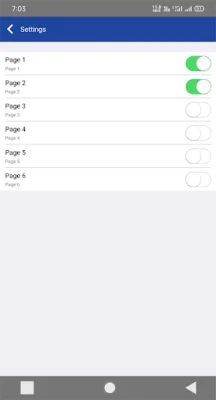


Latest Version
1.2.1
July 28, 2024
Softpulse Infotech
Communication
Android
0
Free
com.softpulse.SpeedDial
Report a Problem
More About Speed Dial
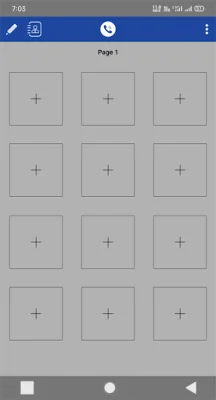
In the Speed Dial app, you can manage your contacts by easily adding or removing them. To edit a contact, simply tap the edit icon and select the contact you want to modify. From there, you can change the contact's image, name, phone number, email, and color.
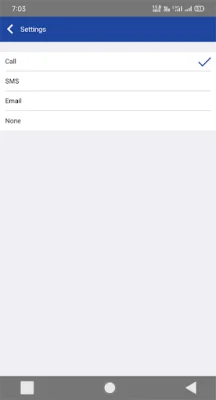
To access the app's settings, tap the icon at the top right of the screen. The settings include options such as "Title Type" where you can choose the shape of your Speed Dial icon, "Text Colour" where you can select between black and white, and "Action Tap" where you can customize what happens when you single-tap, double-tap, or long press on a contact. You can choose between calling, texting, emailing, or no action for each type of tap.
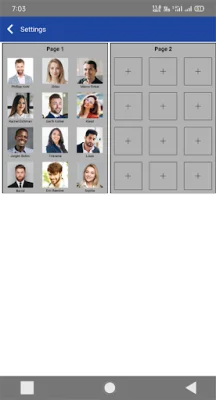
The "Page" option allows you to arrange and enable pages within the app. You can rearrange the pages by holding down on a page and dragging it to a different position. You can also enable or disable pages, with a total of six pages available. Additionally, you can choose a background for your pages, including options for blur, blank tint, and removing the background altogether.
Some benefits of using this app include the ability to quickly call a contact with just one touch, the option to share contacts with others, the ability to change contact photos, and the ability to customize the text color. You can also easily arrange and enable pages, choose your favorite background, and even change the page names to something fun and interesting.
If you need any support or have any feedback, bug reports, or suggestions, you can contact the app's creators at [email protected]. They welcome any reviews and would love to hear from you. This app is completely free to use and has a user-friendly interface for easy access to all of its functions.
Rate the App















Popular Apps









