

State Bank Business Banking
25.1.40 by The State Bank and Trust Company (0 Reviews) May 01, 2026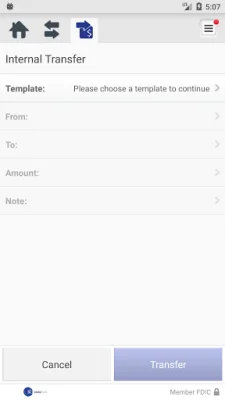


Latest Version
25.1.40
May 01, 2026
The State Bank and Trust Company
Finance
Android
0
Free
com.thestatebankandtrustcompany.biz
Report a Problem
More About State Bank Business Banking
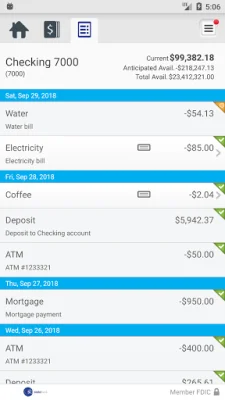
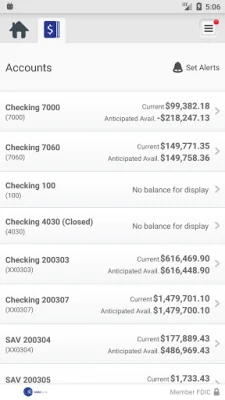
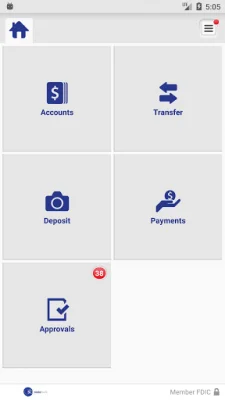
Manage Your Accounts is a convenient mobile application that allows business owners to easily keep track of their finances. With this app, users can check their business account balances, view recent transactions, and even transfer money between accounts. This makes it easy to stay on top of your finances and ensure that everything is running smoothly.
One of the most useful features of Manage Your Accounts is the ability to deposit checks directly through the app. By simply snapping a picture of each check, users can quickly and securely deposit funds into their account. This eliminates the need to physically go to a bank or ATM, saving time and hassle. Additionally, users can also view their deposit history within the app, making it easy to keep track of all transactions.
Another important aspect of managing finances is reviewing and approving transactions. With this app, users can easily approve fund transfers, ACH transfers, and wire transfers. This allows for quick and efficient management of funds, without the need for multiple platforms or processes. Users can also receive alerts when approvals are pending, ensuring that they never miss an important transaction.
Getting started with Manage Your Accounts is simple and user-friendly. All you need to do is download the app and sign on with your Business Online Banking user credentials. This makes it easy for business owners to access their accounts and manage their finances on-the-go. For more information about State Bank's mobile services, users can visit YourStateBank.com or call the provided phone number.
It's important to note that while the app is free to download and use, carrier's data rates may apply. This is something to keep in mind when using the app, but overall, Manage Your Accounts is a convenient and efficient tool for managing business finances. With its various features and user-friendly interface, this app is a must-have for any business owner looking to stay on top of their finances.
Rate the App















Popular Apps









