TCL TV Remote Control
by Tech-Tools (0 Reviews) December 10, 2025
Latest Version
December 10, 2025
Tech-Tools
Tools
Android
0
Free
com.tcl.tv.remote
Report a Problem
More About TCL TV Remote Control
Take full control of your TCL TV with the ultimate remote control app! This app is perfect for those who have lost their original remote, want a faster way to navigate, or simply love convenience. With TCL TV Remote Control, your smartphone becomes a powerful universal remote for TCL Smart TVs, Roku TVs, and even non-smart models via IR. It's like having a remote control in the palm of your hand! 🚀
The app offers a variety of key features and benefits, making it the perfect companion for your TCL TV. The setup process is easy – simply connect your phone to the same Wi-Fi network as your TCL Smart TV or use the built-in IR blaster (if available). No complicated pairing required! 🌟
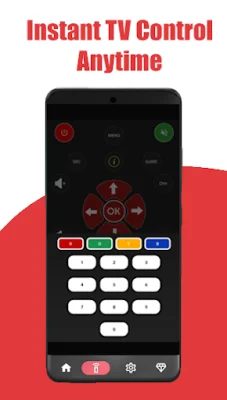
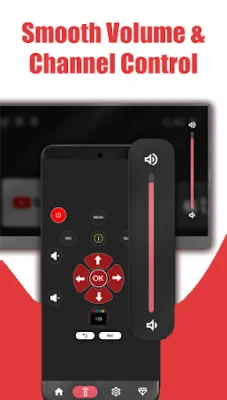
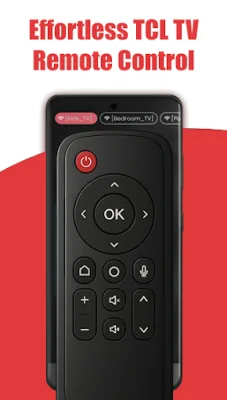
Once connected, you can enjoy a full remote experience with the ability to power on/off, adjust volume, change channels, mute, select sources, and use the directional pad and number input – all in one sleek interface. The app also offers touch and gesture navigation, allowing you to use intuitive swipe, tap, and hold gestures for a smoother Smart TV experience. 🎯
In addition to controlling basic TV functions, the app also allows you to launch installed TV apps directly from your phone and control playback of your favorite streaming content (such as Netflix, YouTube, and Hulu). You can even manage and switch between multiple TCL TVs in your home, all from the same app. 📱
The app supports both Wi-Fi and IR control, making it compatible with a wide range of TCL TV models. For Smart TVs (Roku/Android/Google TV), it works via Wi-Fi, while older models can be controlled through your phone's IR blaster (no Wi-Fi needed). You can also choose between different remote layouts, including standard button view, smart app view, or media controller, tailored to your personal style. 📲
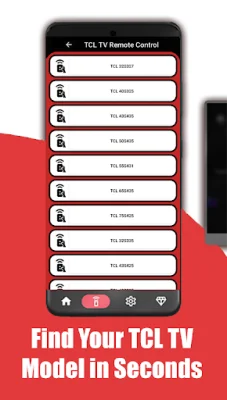
It's important to note that your phone must have an IR blaster to control TVs without Wi-Fi. The app is compatible with a variety of TCL TV models, including Roku TVs, 4-Series (4K UHD Roku & Google TV), 5-Series (QLED & 4K Roku/Google TV), 6-Series (QLED & Mini-LED), Q-Class, S-Class, XL Collection, and other international/older models. ✅
So why choose TCL TV Remote Control? Not only is it compatible with a wide range of TCL TVs, but it also offers a super fast connection, zero setup hassle, and is completely free to use. It's a great alternative to broken or lost remotes and works with Roku, Android TV, and Google TV. 💡
Using the app is simple – for Wi-Fi Smart TVs, just connect your phone and TV to the same Wi-Fi network, open the app, and select your TV from the list. For IR control, make sure your phone has an IR blaster, select IR mode from the app, and use the remote interface – no Wi-Fi needed! 📥
It's important to note that this app is not the official TCL remote. It is a third-party app created to provide enhanced remote functionality for TCL TV users. If you have any questions or feedback, the support team is available to help via email. 📧
Stop searching for lost remotes and start controlling your TCL TV smarter, faster, and better with TCL TV Remote Control. Download the app today and take full command of your entertainment! 🎉
Rate the App









Popular Apps









