

Team Meeting -Video Conference
12.0 by CivilTem (0 Reviews) August 18, 2024



Latest Version
12.0
August 18, 2024
CivilTem
Communication
Android
0
Free
com.team.meeting
Report a Problem
More About Team Meeting -Video Conference
This application offers a variety of features to facilitate virtual meetings and conferences. Users can log in using their Google account or email, making it easy to access the platform. Once logged in, users can create a unique meeting code and share it with others. This code can be customized to make it easier to remember, such as using a specific name or number. Users also have the option to change the meeting code for added security.
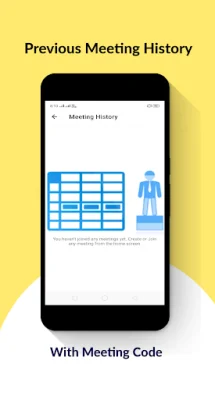
The application keeps a history of previous meetings, allowing users to easily rejoin a meeting they have already participated in. There is no limit on the duration of meetings, making it suitable for both short and long discussions. Additionally, users can create an unlimited number of meetings, making it convenient for frequent users.
During meetings, users can chat with other participants, making it easy to communicate and share information. There is also a "raise hand" feature, allowing users to indicate when they have a question or comment. The platform is user-friendly and offers a lifetime of free access to conduct unlimited meetings.
One of the key features of this application is the ability to share screens during meetings. This includes sharing videos, images, PowerPoint presentations, and any other type of content. Users also have the option to mute all participants' audio and video, ensuring a smooth and distraction-free meeting. The platform also allows users to view a list of all participants in the meeting.
The application offers HD video mode for high-quality video conferencing, as well as a data saver mode for low bandwidth connections. This ensures that users can still participate in meetings even with a weaker internet connection. Additionally, users can share YouTube videos during meetings, making it easy to incorporate multimedia into discussions. One unique feature of this application is the ability to join a meeting without logging in, making it convenient for guests or one-time users. Overall, this application offers a comprehensive and versatile platform for virtual meetings and conferences, with no restrictions on the number of meetings or participants.
Rate the App















Popular Apps









