
Torque Pro (OBD 2 & Car)
1.12.108 by Ian Hawkins (0 Reviews) October 30, 2025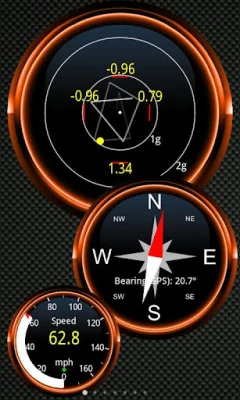
Latest Version
1.12.108
October 30, 2025
Ian Hawkins
Communication
Android
0
$4.95
org.prowl.torque
Report a Problem
More About Torque Pro (OBD 2 & Car)
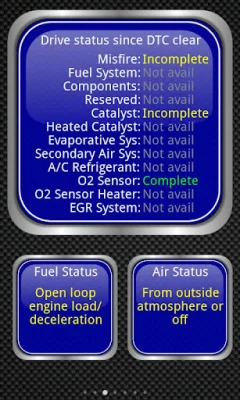
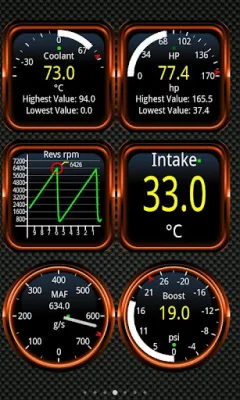
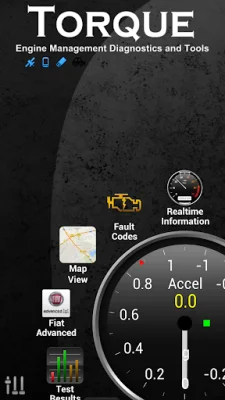
Torque is an application that allows you to monitor and diagnose the performance of your vehicle using an OBD II Bluetooth adapter. This adapter connects to your car's OBD2 engine management system, providing you with real-time data and information about your car's performance. With Torque, you can create a personalized dashboard with the widgets and gauges of your choice, making it easy to keep track of your car's performance.
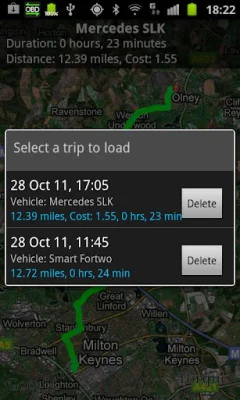
In addition to monitoring your car's performance, Torque also offers GPS tracking and logging capabilities. This allows you to see your car's location and engine data at any point in time, making it a useful tool for tracking your car's movements. Torque also has the ability to show and reset diagnostic trouble codes (DTCs), helping you to identify and fix any issues with your car and potentially saving you money on repair costs.
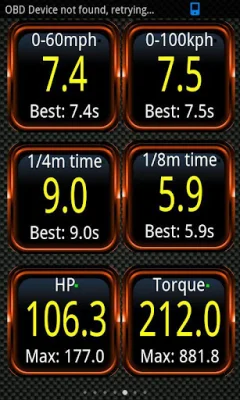
Some of the other features of Torque include a dyno/dynamometer and horsepower/torque measurement tool, the ability to read transmission temperatures, and 0-60 speed timings. It also has a CO2 emissions readout, customizable dashboard and profiles, and the ability to record your journey with an onscreen OBDII data overlay. You can even send GPS-tagged tweets directly to Twitter while on a road trip.
Torque supports a wide range of vehicles that use the OBD 2 standard, including makes like Ford, VW, GM, Chrysler, Mercedes, Audi, and many more. It works on most vehicles built after 2000, but can also work on some vehicles as far back as 1996. However, it's always best to check with your manufacturer first or look for the "OBD2" label in your engine bay to ensure compatibility.
To use Torque, you will need a Bluetooth OBD2 adapter, which can be found on websites like Amazon and eBay. Some of the recommended adapters include Scantool.net, OBDKey, and PLX Devices, but there are many others that are supported as well. The app is constantly being updated with new features, and you can even request new features on the Torque forums. However, there have been reports of issues with certain HTC and Samsung devices, so it's important to contact their support for a fix if you experience any problems.
Rate the App













Popular Apps









