

Transact eAccounts
2024.4.0 (2024072302) by Transact Campus Inc. (0 Reviews) August 04, 2024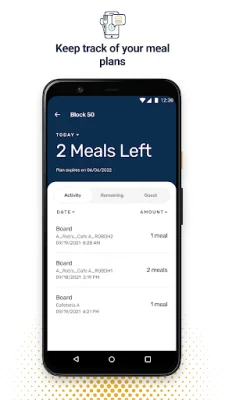
Latest Version
2024.4.0 (2024072302)
August 04, 2024
Transact Campus Inc.
Education
Android
0
Free
com.blackboard.transact.android.v2
Report a Problem
More About Transact eAccounts
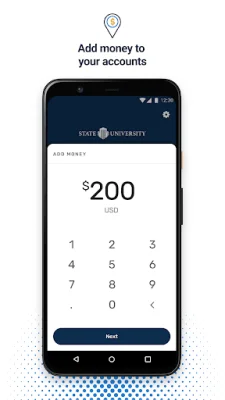
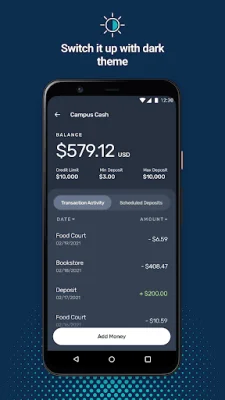
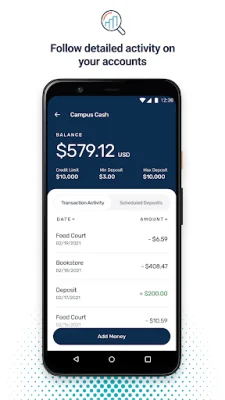
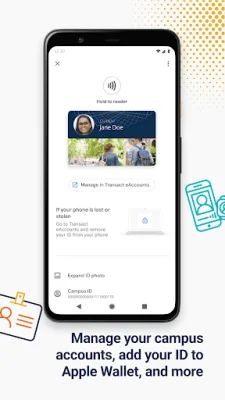
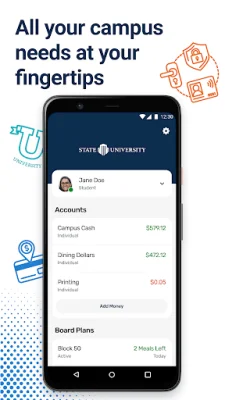
The eAccounts mobile application offers a convenient and secure way for users to manage their campus or institution accounts. With this app, users can easily view their account balances and track recent transactions, providing them with a clear understanding of their financial standing. Additionally, users can add money to their accounts using a previously-saved payment method, making it quick and hassle-free to add funds when needed.
For added convenience, the eAccounts app also allows users to add their ID card to the app, as well as access barcode and barcode shortcut features (available at select campuses). This makes it easy for users to access campus services and facilities without having to carry their physical ID card with them. In the event of a lost or found ID card, users can also report it through the app, ensuring the security of their account and personal information.
The eAccounts app also prioritizes security with its Multi Factor Authentication feature, providing an extra layer of protection for users' accounts. Users can also change their PIN through the app, giving them control over their account security.
In order to use the eAccounts app, the campus or institution must subscribe to the eAccounts service and enable mobile features for their users. Users will also need a Wi-Fi or cellular data plan for internet access. To check if the app is available for their campus or institution, users can contact their campus ID card office for more information.
In summary, the eAccounts mobile application offers a convenient, secure, and efficient way for users to manage their campus or institution accounts. With its various features and benefits, it simplifies the process of accessing and managing financial information, making it a valuable tool for students and faculty alike. Contact your campus ID card office to see if the eAccounts app is available for your campus or institution and start enjoying the benefits today.
Rate the App














Popular Apps









