
True Bluetooth Mouse Keyboard
1.4 by MochaSoft (0 Reviews) August 11, 2024


Latest Version
1.4
August 11, 2024
MochaSoft
Communication
Android
0
Free
dk.mochasoft.mousebluetoothkeyboardserverfree
Report a Problem
More About True Bluetooth Mouse Keyboard
A touch pad with mouse functions is a versatile application that allows users to control their devices with ease. It offers a variety of features such as scrolling, right and left clicking, and dragging, all through a touch pad interface. This makes it a convenient and efficient tool for navigating through different screens and applications on your device.
In addition to its mouse functions, this application also supports 16 different national keyboard layouts. This means that users can easily switch between different languages and typing styles, making it a useful tool for those who communicate in multiple languages.
One unique feature of this touch pad is its air mouse capability. By utilizing the device's accelerometers, users can move the mouse cursor simply by moving their device in the air. This adds a new level of convenience and flexibility to the touch pad's functionality.
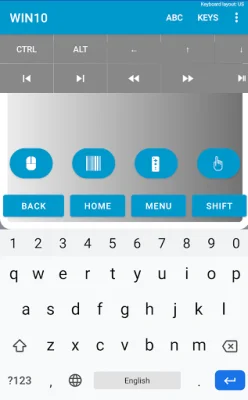
Another useful feature of this application is its extra screen for controlling a multi media player. This allows users to easily play, pause, and adjust the volume of their media without having to switch between different screens or applications.
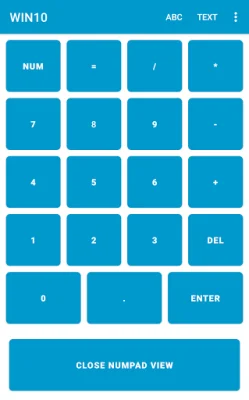
For those who frequently use numeric keypads, this touch pad also offers a separate screen with a numeric keypad. This makes it easier to input numbers and perform calculations on your device.
But the features don't stop there. This touch pad also has the ability to use the device's camera as a barcode scanner, making it a handy tool for scanning and inputting information from barcodes.
For those who want to customize their touch pad experience, this application offers space for 20 macros. Users can record their keystrokes and create smart macros for quick and easy access to frequently used commands.
Additionally, users can customize the key banners on the touch pad to their liking. This allows for a personalized and user-friendly experience.
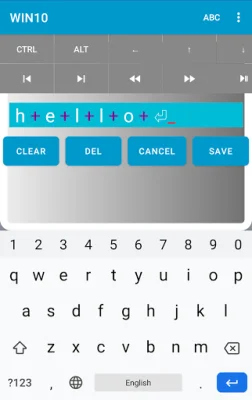
One unique feature of this touch pad is its ability to use speech as text input. This makes it a convenient tool for those who prefer to dictate their text rather than type it out.
For even more convenience, this touch pad can also send text from the Android clipboard. This means that users can easily copy and paste text from one application to another using the touch pad.
Finally, for those who want even more control over their device, this touch pad offers the option to enable special Android keys such as HOME, BACK, MENU, and NEXT. This adds an extra level of functionality and customization to the touch pad experience.
It's important to note that not all Android devices allow full Bluetooth access, and some manufacturers have blocked its use. However, there is an app available in the store that can test your device's compatibility.
For those who want to unlock even more features, there is a premium version of this touch pad that removes the 30 second delay after 5 minutes of use. This makes it a great option for those who want a seamless and uninterrupted touch pad experience.
In conclusion, this touch pad with mouse functions offers a wide range of features and customization options that make it a versatile and convenient tool for controlling your device. Whether you're navigating through screens, typing in different languages, or controlling media, this touch pad has got you covered.
Rate the App















Popular Apps









