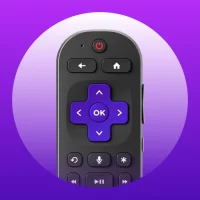
TV Remote Control for Roku TV
1.0.7 by SEA MOBILE LTD (0 Reviews) July 27, 2024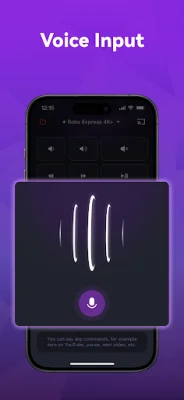
Latest Version
1.0.7
July 27, 2024
SEA MOBILE LTD
Entertainment
Android
0
Free
tv.roku.remote.control.tvremote
Report a Problem
More About TV Remote Control for Roku TV
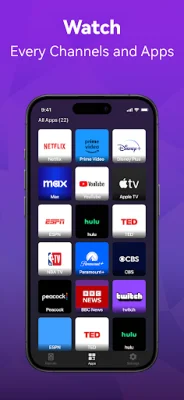
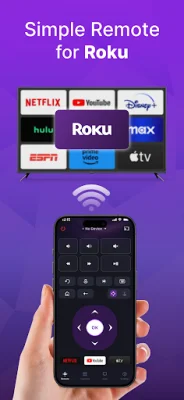
Say goodbye to the frustration of constantly searching for your Roku remote or Roku Stick. With the Roku TV remote control app, you can easily connect to your Roku TV or TCL TV with Roku OS on the same Wi-Fi network. This allows you to effortlessly turn your TV on and off, change channels, adjust the volume, and manage content playback, just like you would with a physical remote. The app even includes a touchpad and voice input for added convenience, making your Roku TV experience even better. So why wait? Enhance your Roku TV experience today with the Roku TV remote control app!
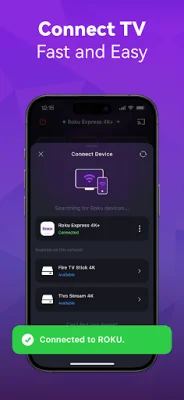
To get started, simply download and install the universal Roku TV remote control app. Then, select your Roku TV or TCL TV with Roku OS device that is connected to the same Wi-Fi network. With just a tap, you can connect your device to your TV and start using the remote. It's that easy! Say goodbye to the hassle of setting up a new remote and enjoy seamless control of your Roku TV with these simple steps.
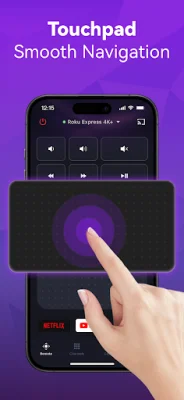
The Roku TV remote app offers a range of convenient features to enhance your TV viewing experience. It automatically detects Roku TVs and TCL TVs with Roku OS on the same Wi-Fi network, making setup a breeze. You can also quickly adjust the volume, rewind, and fast forward with the rapid Roku TV control feature. The touchpad allows for smooth and efficient control, while the text input and search functionality make it easy to find your favorite shows and movies. You can even power your TV on and off directly from your device and use voice search for hands-free control. The universal remote control for Roku TV (Roku Stick app) gives you the power to control your TV in the way that works best for you.
If you encounter any issues, the app provides troubleshooting guidelines. It's important to note that the Roku remote can only connect to the same Wi-Fi network as your Roku device. If you experience connection failure with your Roku TV or TCL TV with Roku OS, try reinstalling the app and rebooting your TV. These simple steps should resolve most issues.
It's important to note that the Roku TV remote control app is not an official application and is not affiliated with Roku. However, it offers a convenient and user-friendly way to control your Roku TV. So why wait? Download the app and enjoy the functionalities and features of the universal remote control for Roku TV at your own discretion. Say goodbye to the hassle and hello to seamless control with the Roku TV remote control app.
Rate the App








Popular Apps









