

twinme+ - secure messenger
25.4 by twinlife (0 Reviews) July 27, 2024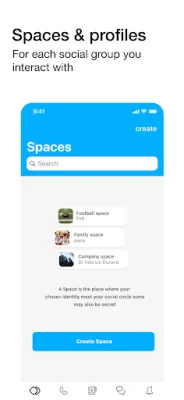
Latest Version
25.4
July 27, 2024
twinlife
Communication
Android
0
$4.99
org.twinlife.device.android.twinme.plus
Report a Problem
More About twinme+ - secure messenger
Twinme+ is an application that offers a variety of functions and services to its users. It is an upgraded version of the original twinme app, with additional features that enhance the user experience. These features include "Spaces" which allow users to organize their profiles, relationships, conversations, notifications, appearance, and parameters according to different social groups they interact with. This means that users can have separate Spaces for their family, friends, colleagues, and other social groups they are a part of. They can even create "Secret Spaces" that are not visible to others and can only be accessed by typing in a specific name.
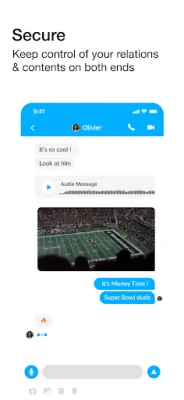
Another feature of twinme+ is the option to lock and unlock the application using biometric or pin locking services on the user's device. This adds an extra layer of security and privacy for the user's data and conversations. The app also offers "Ephemeral messages" which are messages that disappear from both ends after a certain amount of time. This can be useful for sensitive or temporary conversations.
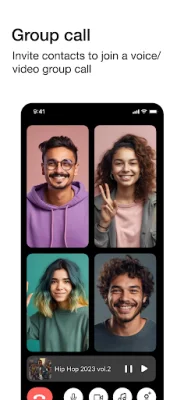
Twinme+ also allows users to prevent specific contacts from calling them in voice or video, as well as streaming music during calls. Users can also launch voice and video calls within a group and invite others to join an ongoing call. They can even transfer an ongoing call from their mobile device to a PC. Additionally, the app offers the option to publish QR codes from the calls tab, allowing guests to call the user without having to install the app.
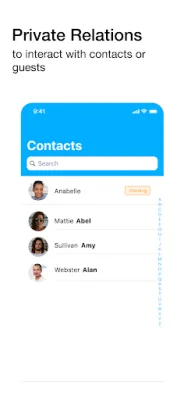
If a user already has the original twinme app installed on their device, their account and associated data will be automatically transferred to twinme+. They can then uninstall the original app. If the user had multiple profiles on twinme, each profile will be associated with a different Space on twinme+. This allows for better organization and management of contacts and conversations.
Twinme+ uses the device's internet connection, whether it be WiFi or 3G/4G/LTE, to function. This means that data charges may apply, so users should check with their carrier for details. The app also requires certain permissions, such as access to the camera and microphone for taking pictures and making voice/video calls, access to photos and media for profiles and messages, and access to network connections for monitoring connections. It also requires permissions for audio settings, preventing the device from sleeping during a call, giving vibration feedback, and running at startup to receive messages and calls. These permissions are necessary for the app to function properly and provide the best user experience. Thank you for contributing to the development of twinme+.
Rate the App















Popular Apps









