
UniContacts: Large Contacts
13.3 by UFIDU (0 Reviews) July 31, 2024

Latest Version
13.3
July 31, 2024
UFIDU
Communication
Android
0
Free
net.unisols.Largecontacts
Report a Problem
More About UniContacts: Large Contacts
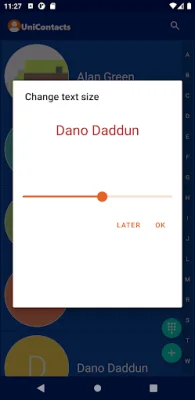
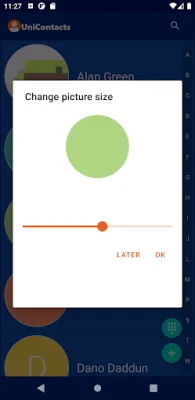
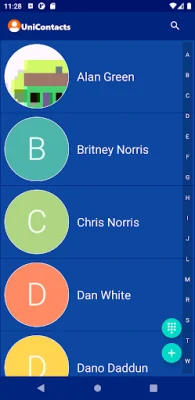
The UniContacts app offers a highly customizable experience for its users. With this app, users have the ability to change various aspects of the app's look and functionality to suit their preferences. This includes options such as adjusting the text and picture size of contacts, changing the overall theme, and showing or hiding contact phone numbers and action icons. Users can also choose to turn on or off features such as composing text messages with a left-swipe or receiving help messages upon tapping.
In addition to these customization options, users can also perform various actions by long-tapping on a contact. This includes copying a phone number, sharing the contact, setting a default number, adding or removing the contact from favorites, and updating or deleting the contact's photo. These features make it easy for users to manage their contacts and keep them organized.
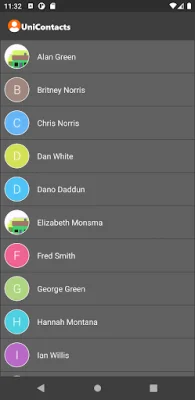
The app simplifies the contact list by only displaying contacts that have phone numbers. These contacts can be sourced from the device itself or any logged-in accounts on the device. This ensures that the contact list remains clutter-free and only includes relevant and useful information.
UniContacts seamlessly integrates with the default contacts, dialer, and texting apps on the device. This means that users can add and update contacts using the default contacts app, make calls using the default dialer app, and compose text messages using the default texting app. This makes it easy for users to switch between apps and perform various tasks without any hassle.
In conclusion, UniContacts offers a user-friendly and customizable experience for managing contacts on a device. With its various customization options and seamless integration with default apps, it simplifies the process of managing contacts and ensures a clutter-free contact list. Whether it's adjusting the app's appearance or performing actions on contacts, UniContacts makes it easy for users to stay organized and in control of their contacts.
Rate the App















Popular Apps









