

USB Serial Terminal
1.1 by mightyIT (0 Reviews) August 11, 2024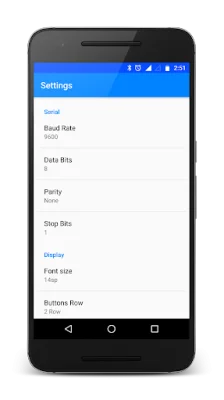
Latest Version
1.1
August 11, 2024
mightyIT
Communication
Android
0
Free
project.usbserialterminal
Report a Problem
More About USB Serial Terminal
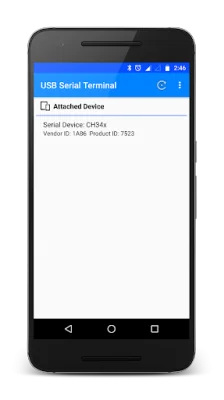
This app is a unique and one-of-a-kind tool that allows you to connect and communicate with various serial devices such as CP210X, FTDI, PL2303, CH34X, and CDC/ACM devices. It provides compatibility with these devices, making it easier for you to debug any hardware issues that may arise.
To use this app, all you need to do is connect your serial devices to your mobile device using an OTG cable. Once connected, you can send and receive commands through the serial devices, making it a convenient and efficient way to troubleshoot any problems.
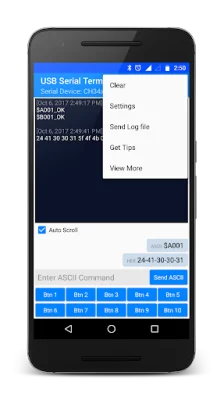
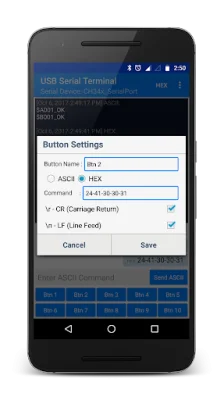
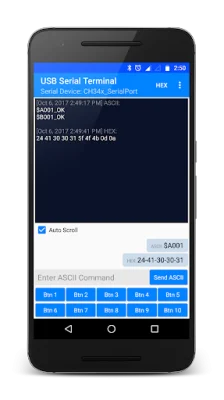
Some of the key features of this app include the ability to adjust settings such as baud rate, data bits, parity checks, and stop bits. It also has separate panels for sending and receiving data, allowing for a more organized and streamlined process. Additionally, you can customize your own buttons for frequently sending the same data, making it even more convenient to use.
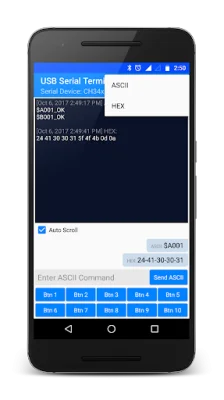
You can also monitor the receiving data in either ASCII or HEX format, and send data in either ASCII or HEX as well. There is also an option to add \r \n at the end of sending data, and a simple copy option for sent data by long pressing on the data. The app also allows you to send a log file of both received and sent data, and has options to keep the screen on or off and adjust the font size. There is also an option to remove ads for a smoother user experience.
It is important to note that your Android device must support USB Host mode in order to use this app. By default, received data is in ASCII format, but this can be changed from the top menu. Similarly, data sent is in ASCII format by default, but can be changed by long pressing on a particular button. The default setting for sending data is \r\n, but this can also be changed by long pressing on a button. Overall, this app is a useful and versatile tool for anyone working with serial devices and looking for an efficient way to debug hardware issues.
Rate the App















Popular Apps









